Headings
A heading represents a title for different sections and subsections in our HTML document.
The level 1 heading
There are six levels of headings. We will start with the top-level heading, the so-called level 1 heading, which has the following syntax:
<h1>This is the h1 heading</h1>
The level 1 heading starts with the <h1> opening tag, is followed by the heading text and ends with the </h1> closing tag. The level 1 heading is used to represent a title for the entire HTML article/page. This heading is referred to as the Level 1 heading, top-level heading, article title or simply h1.
The page with the h1 heading
In a complete page, the Level 1 heading represents the title for the entire page/article. The full index.html file listing is:
<!DOCTYPE html>
<html lang="en">
<head>
    <meta charset="UTF-8">
    <meta name="viewport" content="width=device-width, initial-scale=1.0">
    <title>My Page Title</title>
</head>
<body>
    <h1>This is the h1 heading</h1>
</body>
</html>
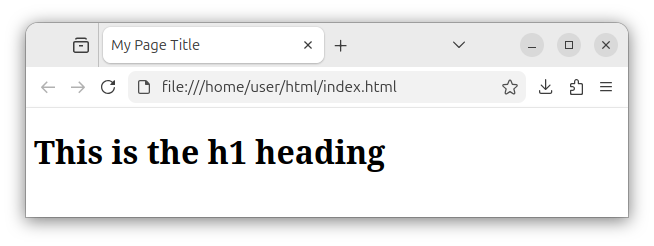
By default, our browser renders the level 1 heading as a large block of bold text, as in the following image:
Note: Do not confuse the <title> element with the <h1> heading. The <title> element is used by search engines and displayed in browser tabs and bookmarks. The h1 heading is displayed on a rendered page in a browser.
After the h1 heading, the page usually contains some content, for example, a paragraph with some text:
<!DOCTYPE html>
<html lang="en">
<head>
    <meta charset="UTF-8">
    <meta name="viewport" content="width=device-width, initial-scale=1.0">
    <title>My Page Title</title>
</head>
<body>
    <h1>This is the article title</h1>
    <p>This is the paragraph text.</p>
</body>
</html>
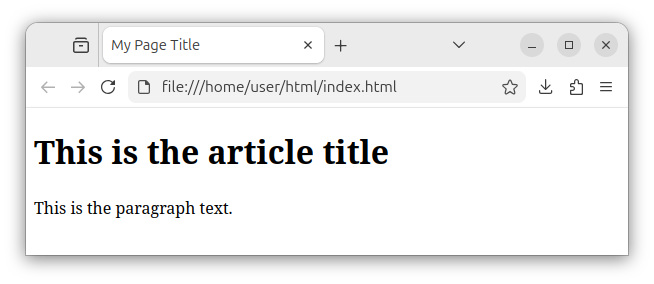
Now, our browser displays both the h1 heading and a paragraph text created using the <p> element:
Important: A page should have only one h1 element per page. The h1 heading represents a top-level heading. It represents a visible title for the entire page/article.
The level 2 heading
The level 2 heading represents a title for a section on a page. The general syntax is:
<h2>This is the h2 heading</h2>
The level 2 heading starts with a <h2> opening tag, followed by the heading text and ends with a </h2> closing tag. A level 2 heading, simply referred to as h2, represents a visible title for a section on a page. Since there can be multiple sections in an article, there can be multiple <h2> elements on a page.
A page with multiple h2 headings
The following HTML page listing demonstrates the use of multiple <h2> headings:
<!DOCTYPE html>
<html lang="en">
<head>
    <meta charset="UTF-8">
    <meta name="viewport" content="width=device-width, initial-scale=1.0">
    <title>My Page Title</title>
</head>
<body>
    <h1>This is the article title</h1>
    <p>This is an article overview.</p>
    <h2>The first h2 heading</h2>
    <p>This is the first section.</p>
    <h2>The second h2 heading</h2>
    <p>This is the second section.</p>
</body>
</html>
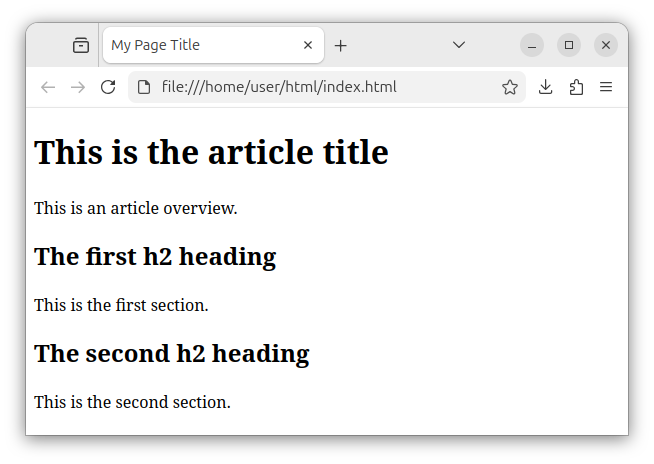
This page has one h1 heading and multiple h2 headings, along with several paragraphs. The h1 heading is the main page title, and h2 headings are section titles or subtitles.
The browser renders the h2 headings as blocks of large and bold text that are smaller compared to the h1 text size:
In summary, you can use h2 headings to represent section titles or main page subtitles. The page should have only one level 1 heading and can have multiple level 2 headings.
The level 3 headings
The level 3 headings can be used to represent subsection titles. The general syntax is:
<h3>This is the h3 heading</h3>
The level 3 heading starts with a <h3> opening tag, followed by the heading text and ends with a </h3> closing tag. These headings usually represent the titles of subsections. Since a section on a page can be divided into several subsections, the <h3> headings can be used to represent a title for each of these subsections. As with h2, a page can also have multiple <h3> titles/headings.
A page with multiple h3 headings
The following HTML page demonstrates the use of multiple h3 headings:
<!DOCTYPE html>
<html lang="en">
<head>
    <meta charset="UTF-8">
    <meta name="viewport" content="width=device-width, initial-scale=1.0">
    <title>My Page Title</title>
</head>
<body>
    <h1>This is the article title</h1>
    <p>This is an article overview.</p>

    <h2>This is the h2 heading</h2>
    <p>This is the first section.</p>
    <h3>This is the first h3 heading</h3>
    <p>This is the sub-section article.</p>
    <h3>This is the second h3 heading</h3>
    <p>This is the sub-section article.</p>
</body>
</html>
The above page has one main article, two sections and two groups of subsections. The h1 heading represents the article title. Multiple h2 headings represent the sections titles and, finally, the h3 headings were used to represent titles for subsections:
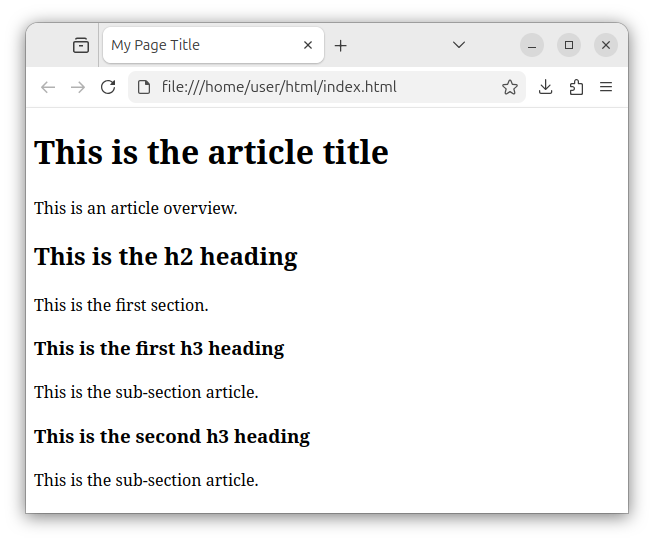
The browser still renders the level 3 headings as large blocks of bolded text, but in comparison to h2 headings, this text is smaller.
Other headings
There can also be <h4>, <h5> and <h6> headings in our document as in the following snippet:
<h4>This is the h4 heading</h4>
<h5>This is the h5 heading</h5>
<h6>This is the h6 heading</h6>
But, in reality, you rarely want to go below the <h3> heading to represent titles and hierarchy for a page. The use of headings from level 1 to level 3 is more than sufficient for most use cases.
Headings order and hierarchy
The order of headings is very important. The <h1> heading comes first, then the <h2> headings can follow after the level 1 heading, and <h3> headings can follow after the previous mention of level 2 headings somewhere in our HTML code. The following snippet shows a good order and headings hierarchy:
<!-- Good headings hierarchy/order -->
<h1>This is the h1 heading</h1>
<!-- Other content -->
<h2>This is the h2 heading</h2>
<!-- Other content -->
<h3>This is the h3 heading</h3>
The following snippet shows a bad heading hierarchy:
<!-- Bad heading hierarchy -->
<h1>This is the h1 heading</h1>
<!-- Wrong: h3 comes immediately after h1 -->
<h3>This is the h3 heading</h3>
<!-- Other content -->
<h2>This is the h2 heading</h2>
This snippet shows a bad use-case where an <h3> heading comes after an <h1> heading. This should not be the case as an <h3> heading should only be listed after the <h2> was previously mentioned somewhere in our code. The proper order of different headings should be respected in our HTML pages.
Important: Do not use headings to represent different text sizes, which is not what headings are for. Use CSS to represent different text sizes. Headings provide titles and a hierarchy for different sections on our page.
Summary
Use different headings to represent:
- The page title - use the
<h1>level 1 heading. - The section titles - use the
<h2>level 2 headings. - The subsection titles - use the
<h3>level 3 headings.
Use a proper headings order and hierarchy, and most of the time stay with the h1, h2, and h3 headings. The proper use of headings is beneficial because it makes our HTML page more readable and search engines prefer a good document hierarchy.


