HTML Metadata - Overview
Inside the <head> section of our HTML document, we place our HTML document's metadata.
Metadata is the data intended to be parsed by computers and search engines.
This data, apart from the document's title and an icon, is not visible to the user, but can play an important role with search engines, media platforms, and similar.
The required metadata
In our previous tutorial, we learned how to:
- Set the document's character encoding:
<meta charset="UTF-8">
- Configure the viewport, and make the page responsive:
<meta name="viewport" content="width=device-width, initial-scale=1.0">
Note: The <meta> element with the "viewport" attribute is not strictly required, but since it is found on almost all HTML pages nowadays, we can safely treat it as a required metadata element.
- And add the document title:
<title>My Page Title</title>
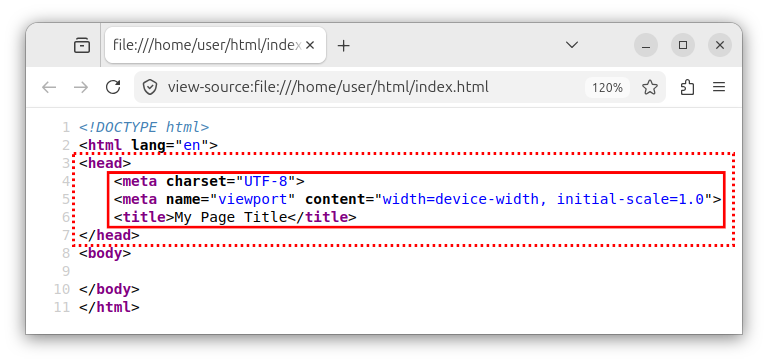
Now, our <head> element contains the three usual metadata elements that every page should have:
<head>
    <meta charset="UTF-8">
    <meta name="viewport" content="width=device-width, initial-scale=1.0">
    <title>My Page Title</title>
</head>
The complete HTML document structure looks like the following:
<!DOCTYPE html>
<html lang="en">
<head>
    <meta charset="UTF-8">
    <meta name="viewport" content="width=device-width, initial-scale=1.0">
    <title>My Page Title</title>
</head>
<body>

</body>
</html>
This code will be our starting point for all future HTML documents.
In the upcoming metadata tutorials, we will explore more metadata elements that go inside the <head> section. We will describe:
- Other uses of the
<meta>element. - The
<link>element. - The
<script>element. - Other metadata elements.


