HTML Paragraph
A paragraph is a block of text represented through the <p> element.
The syntax
A paragraph starts with an opening <p> tag, is followed by paragraph text, and ends with a closing </p> tag:
<p>This is a paragraph text.</p>
A paragraph usually contains one or more text sentences:
<p>This is the first sentence in a paragraph. This is the second sentence in a paragraph.</p>
A paragraph itself usually contains regular text, but it can also have links, quotations, images, and similar.
Paragraphs on a page
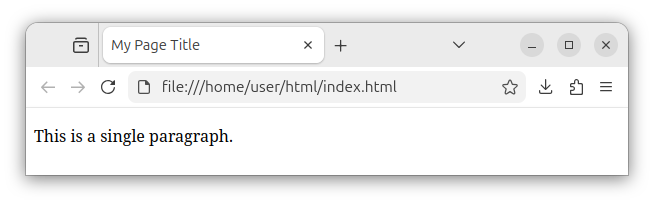
Paragraphs are usually placed inside the <body> section of our HTML page. An HTML page with a single paragraph looks like the following:
<!DOCTYPE html>
<html lang="en">
<head>
    <meta charset="UTF-8">
    <meta name="viewport" content="width=device-width, initial-scale=1.0">
    <title>My Page Title</title>
</head>
<body>
    <p>This is a single paragraph.</p>
</body>
</html>
A browser renders the above code as the following:
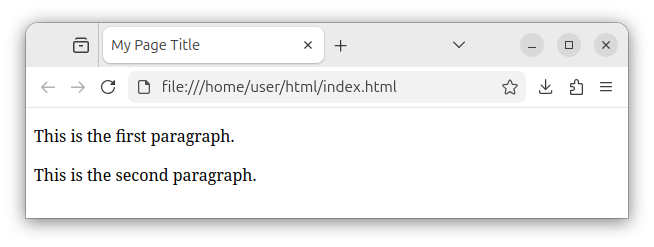
A web page can have multiple paragraphs, listed one after the other:
<!DOCTYPE html>
<html lang="en">
<head>
    <meta charset="UTF-8">
    <meta name="viewport" content="width=device-width, initial-scale=1.0">
    <title>My Page Title</title>
</head>
<body>
    <p>This is the first paragraph.</p>
    <p>This is the second paragraph.</p>
</body>
</html>
By default, a browser renders/displays multiple paragraphs separated by a single blank line:
A web page with headings and paragraphs
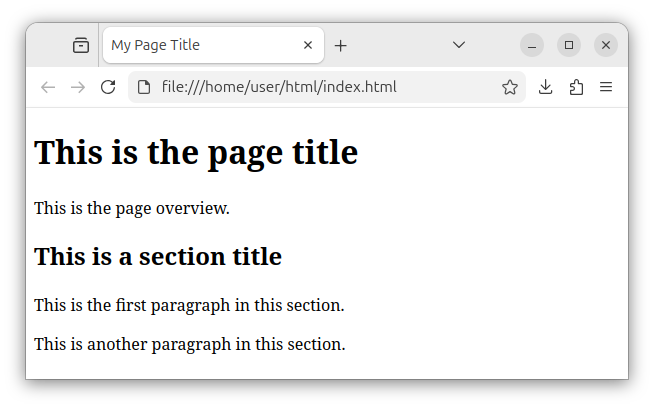
A web page usually has multiple headings and multiple paragraphs:
<!DOCTYPE html>
<html lang="en">
<head>
    <meta charset="UTF-8">
    <meta name="viewport" content="width=device-width, initial-scale=1.0">
    <title>My Page Title</title>
</head>
<body>
    <h1>This is the page title</h1>
    <p>This is the page overview.</p>

    <h2>This is a section title</h2>
    <p>This is the first paragraph in this section.</p>
    <p>This is another paragraph in this section.</p>

</body>
</html>
The above code, when rendered and displayed in the browser, looks like the following:
Styling a paragraph
A paragraph is usually styled using a class attribute whose value is some CSS rule:
<p class="some_css_class_rule">This is a paragraph text.</p>
Or a CSS id rule:
<p id="some_css_id_rule">This is a paragraph text.</p>
Or using some inline CSS style:
<p style="font-style: italic;">This is a paragraph text.</p>
Note: Although this tutorial focuses on the HTML language itself and not the CSS, we briefly mentioned several major styling approaches for a paragraph.
Avoid empty paragraphs
Important: Do not use empty paragraphs to represent empty lines or to visually increase the space between paragraphs as in:
<!-- Do not use empty paragraphs -->
<p></p>
Use CSS rules to increase the bottom margin. For example, you can use the margin-bottom rule:
<!DOCTYPE html>
<html lang="en">
<head>
    <meta charset="UTF-8">
    <meta name="viewport" content="width=device-width, initial-scale=1.0">
    <title>My Page Title</title>
    <style>
        p { margin-bottom: 2rem; }
    </style>
</head>
<body>
    <p>This is the first paragraph.</p>
    <p>This is the second paragraph.</p>
</body>
</html>
Summary
Blocks of text (or simply paragraphs) in our page are represented through the <p> tag/element.
Instead of simply placing the text in the <body> section, we want to wrap separate blocks of text into separate <p> elements.
A typical HTML page often has several headings and several paragraphs.


