Column Modifiers and Indexes
This tutorial explains how to apply different column modifiers and create indexes in Laravel.
Introduction
Our table columns can be nullable, have unique or default values, have indexes and more. To specify these properties, we apply different modifiers to our table columns in Laravel.
Creating a table with several columns
Let us create a migration file that creates a table called modifiers_tutorial. In the terminal, we write:
php artisan make:migration create_modifiers_tutorial_tableOpen the newly created migration file, delete any existing code from the Schema::create() functions body and add several columns to our table. Our function now looks like the following:
Schema::create('modifiers_tutorial', function (Blueprint $table) {
    $table->string('my_column_1');
    $table->string('my_column_2');
    $table->string('my_column_3');
    $table->string('my_column_4');
});
This function creates a table and adds several columns to our table. We can add modifiers to our table columns by using the following blueprint:
// general syntax for creating a column and applying a modifier to that column:
$table->some_creation_method()->some_modifier();
We say we chain the modifier code to a column creation code.
Column modifiers
Here, we describe some of the most widely used column modifiers and the effects they have on a column.
nullable()
The nullable() modifier modifies the column so that it can accept NULL values for new records. This means the field does not need to have a value when inserting a new record. If we don't provide the value for the nullable field, the default value will be NULL. To apply this modifier to our my_column_1 column, we write:
$table->string('my_column_1')->nullable();default()
The default() modifier specifies a default value for a column. If we do not provide a value for this field, when inserting a new record, the default value will be inserted. Let us apply the default() modifier to, for example, the my_column_2 field:
$table->string('my_column_2')->default('Some default value');Now every new record that gets inserted, will have its column_2 field set to the default value of Some default value.
Index modifiers
unique()
If we want our column to have unique values and a unique index (primary key), we apply the unique() modifier. Let us, for example, apply this modifier to our my_column_3.
$table->string('my_column_3')->unique();Now, our column can hold only unique values and any attempt to insert a record with duplicate my_column_3 values will result in an error.
index()
The index() modifier creates a regular, non-unique index on a column of a table. Let us apply this modifier to our fourth field:
$table->string('my_column_4')->index();Inspecting the table columns
Our Schema::create() function now looks like the following:
Schema::create('modifiers_tutorial', function (Blueprint $table) {
    $table->string('my_column_1')->nullable();
    $table->string('my_column_2')->default('Some default value');
    $table->string('my_column_3')->unique();
    $table->string('my_column_4')->index();
});
Let us now run the pending migrations in the terminal:
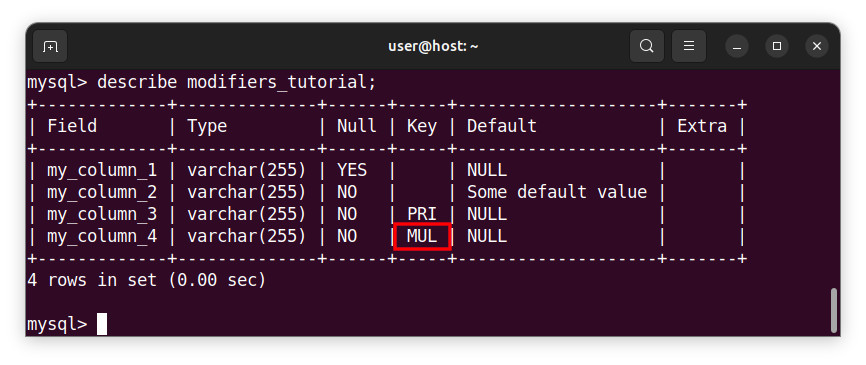
php artisan migrateAnd inspect the table columns structure after applying the modifiers. We can use the MySQL command-line client and describe table_name; directive or use a 3rd party software such as phpMyAdmin.
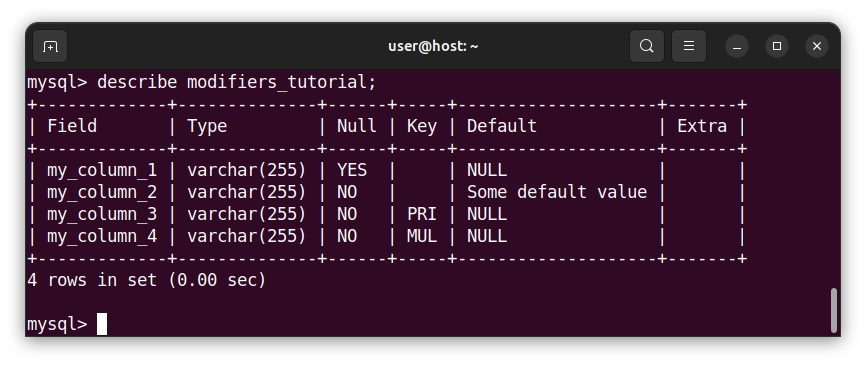
The first column accepts NULL values because we applied the nullable() modifier to this column.
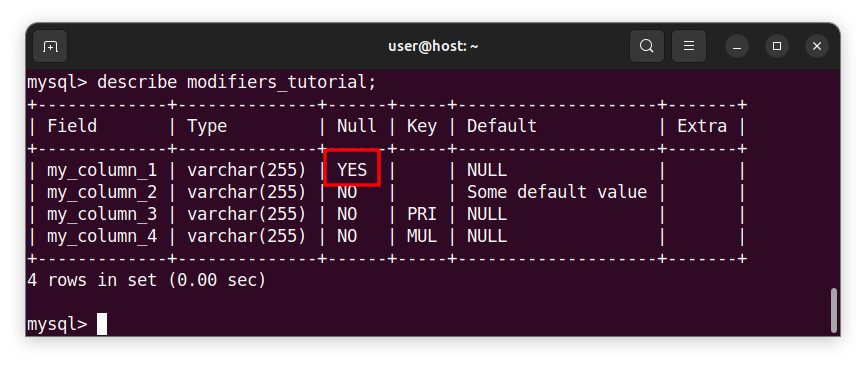
The second column has a default value of Some default value because we applied the default() modifier to this column.
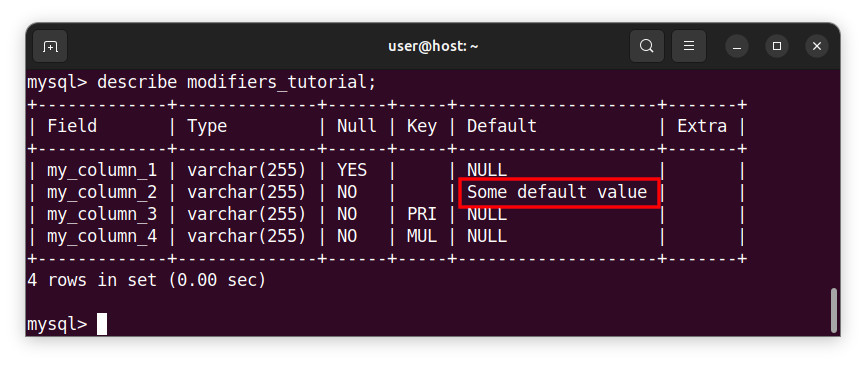
The third column has unique values and a unique index because we applied the unique() modifier to this column.
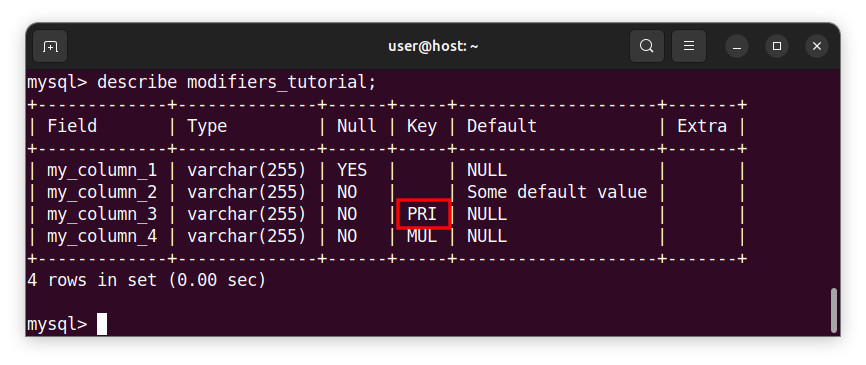
Finally, we created a regular index for our fourth column because we applied the index() modifier to our column.
Summary
In this tutorial, we learned how to define a column and then apply a modifier to that column. We also learned how to create indexes for our table columns.
In the next tutorial, we will learn how to pass variables to a template.


