Exercise - Creating Multiple Views
In this exercise, we will define multiple routes and create multiple views/templates. Each route will have its own view and each view file will store a different HTML code.
Creating multiple templates
There are two ways to create template files in Laravel:
Option 1 - Manually creating multiple templates
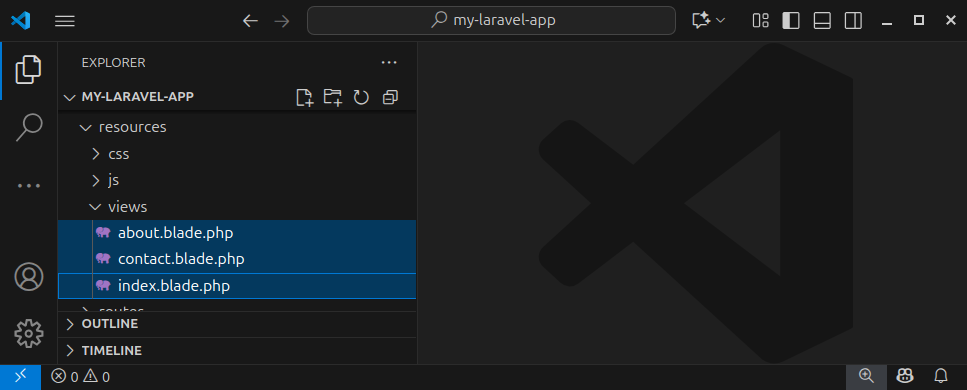
We can manually create several empty template files and place them inside the resources/views folder. Let us create three empty template files and name them, for example, as the following:
- index.blade.php - contains the HTML code for an index route
- about.blade.php - stores the HTML code for the /about route
- contact.blade.php - stores the HTML code which will be rendered if we access the /contact route in our browser
Option 2 - Using php artisan to create template files
We can also create these three files by invoking the artisan command line tool. Open a terminal window and execute all three statements:
php artisan make:view index
php artisan make:view about
php artisan make:view contact
These commands will create three template files and place them in the resources/views folder. We can now insert different HTML code to each of these template files.
Open the index.blade.php file and paste the following HTML code:
<!DOCTYPE html>
<html lang="en">

<head>
    <meta charset="UTF-8">
    <meta name="viewport" content="width=device-width, initial-scale=1.0">
    <title>Laravel Exercise - Multiple Views</title>
</head>

<body>
    <h1>This is the index page</h1>
    <p>This HTML is stored inside the index.blade.php template file.</p>
</body>

</html>
Open the about.blade.php file and paste the following HTML code:
<!DOCTYPE html>
<html lang="en">

<head>
    <meta charset="UTF-8">
    <meta name="viewport" content="width=device-width, initial-scale=1.0">
    <title>Laravel Exercise - Multiple Views</title>
</head>

<body>
    <h1>This is the about page</h1>
    <p>This HTML is stored inside the about.blade.php template file.</p>
</body>

</html>
Open the contact.blade.php file and paste the following HTML code:
<!DOCTYPE html>
<html lang="en">

<head>
    <meta charset="UTF-8">
    <meta name="viewport" content="width=device-width, initial-scale=1.0">
    <title>Laravel Exercise - Multiple Views</title>
</head>

<body>
    <h1>This is the contact page</h1>
    <p>This HTML is stored inside the contact.blade.php template file.</p>
</body>

</html>
Defining multiple routes
We can define multiple routes by using multiple Route::get() function calls. For example, we can define the following routes:
- A base route (also referred to as an index page, a base URL)
- An /about route
- A /contact route (page).
We will return a different view to each of these routes. Open the web.php file and paste the following code:
<?php

use Illuminate\Support\Facades\Route; // import the Route facade

Route::get('/', function () { // define a root path (route, page, URL)
    return view('index');
});

Route::get('/about', function () { // define an about path
    return view('about');
});

Route::get('/contact', function () { // define a contact route
    return view('contact');
 });
Here, we used three different Route::get() function calls to define three routes and return a different view for each route. We used a view() helper function to retrieve the HTML content of a specified template file.
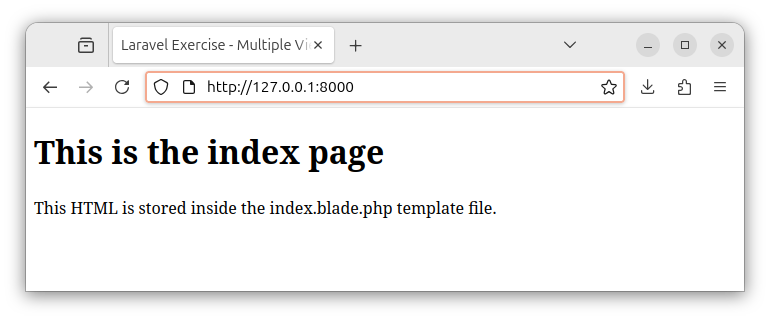
The first Route::get() function call defines a base route and returns the view containing the HTML code stored inside the index.blade.php template file:
Route::get('/', function () { // define a root path
    return view('index'); // return a view that renders the HTML content from the index.blade.php template file
});
If we open the base route address in our browser, we see the HTML response that originates from index.blade.php template file:
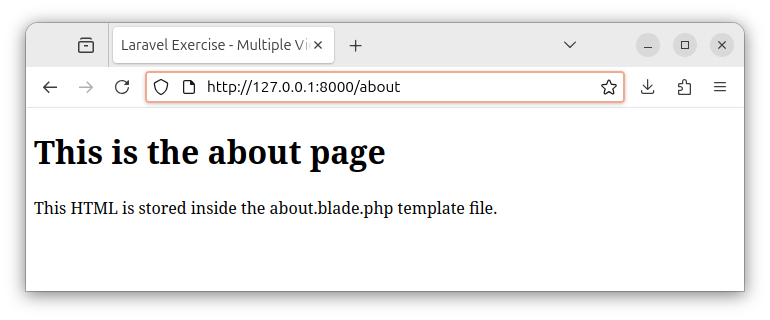
The second Route::get() function call defines an about route/path and returns the view with HTML code from the about.blade.php template file:
Route::get('/about', function () { // define the /about path
    return view('about'); // return the rendered HTML content from the about.blade.php file
});
If we access the /about route, the server renders the HTML content from the about.blade.php template file:
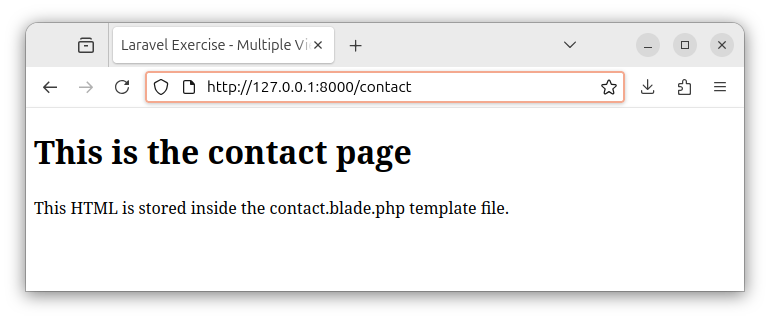
The third Route::get() function call defines a /contact path/page and renders the HTML code from the contact.blade.php template file:
Route::get('/contact', function () { // define the /contact route(path)
    return view('contact'); // return the view containing the HTML code
    // stored inside a contact.blade.php file
});
And finally, for a /contact route, we see the following HTML output in our browser:
Summary
In this exercise, we created multiple template files and defined multiple routes. Each template file contains a different HTML code. We returned a different template/view for each route. When we open these addresses in our web browser, we see a different HTML output being rendered for every route.
In the upcoming chapters, we will learn how to pass variables and database records to views/templates.
In the next tutorial, we will learn how to create tables and table columns using migrations.


