Using Migrations to Create Tables in Laravel
In this tutorial we will learn how to create and drop database tables using migrations in Laravel.
Creating a table
To create a table, we need to create and invoke the migration file that contains the table definition. To create a migration file, we use the artisan command-line tool. In our previous tutorial, we used a simple migration name. Now, when defining a table, we can use the create_tablename_table blueprint as a name for the migration file. In a terminal, we write:
php artisan make:migration create_mytable_tableThis command creates a migration file with a time-stamp prefix, prefills it with the source code and places the file in the database/migrations folder:
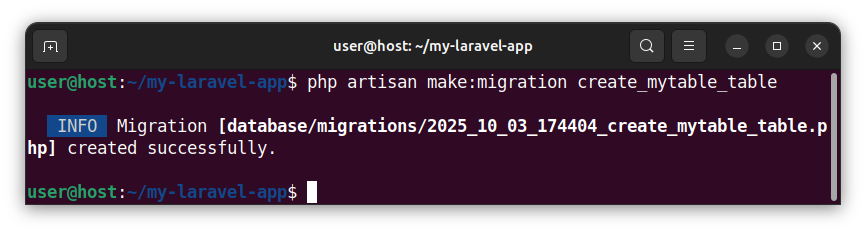
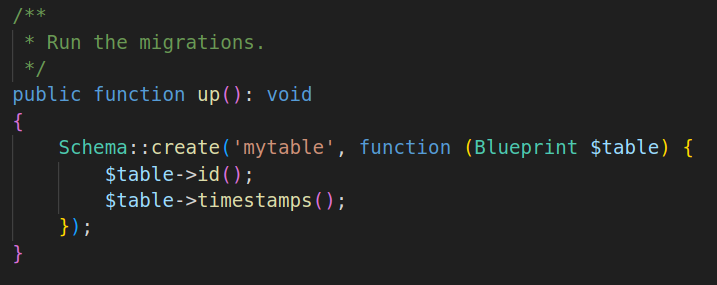
When we use the create_mytable_table naming blueprint, Laravel prefills the migration file with the code that defines/creates the mytable table.
The table-creation code is placed inside the up() member function and utilizes the Schema::create() function to create the mytable table. The Schema::create() function accepts two parameters - the name of the table and a closure accepting the Blueprint object that can be used to add columns. As we can see, the prefilled code also creates several table columns by default, but, for now, we will focus only on a process of creating and dropping the tables.
To run this migration and all other pending migrations, inside a terminal, we write:
php artisan migrateThis command invokes our newly-created migration:
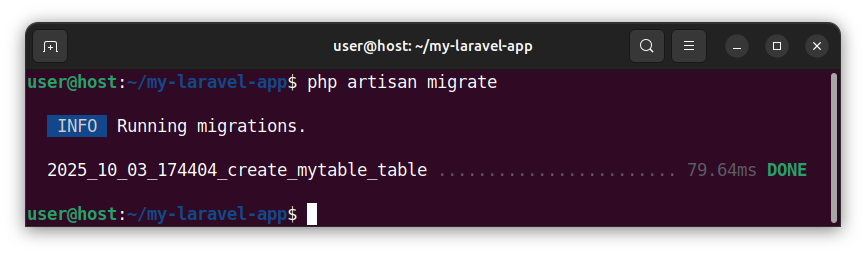
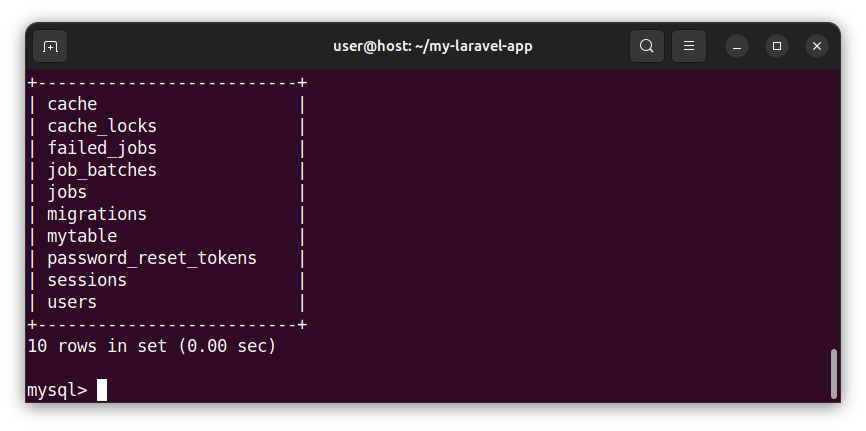
And creates a table called mytable in our database.
Dropping the table
Our migration class also contains the code that drops the table. This code is placed inside the down() public function.
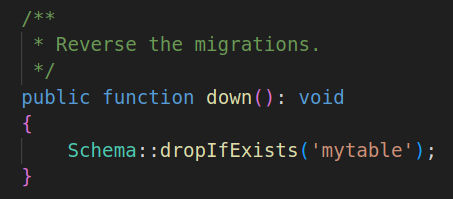
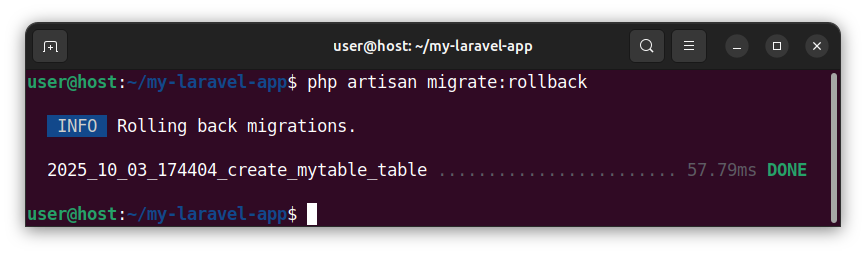
To invoke this code, and rollback the last executed migrations, in a terminal, we write:
php artisan migrate:rollbackThis command rolls back the last set of migrations, invokes the code in the down() function, and effectively drops the mytable table from a database.
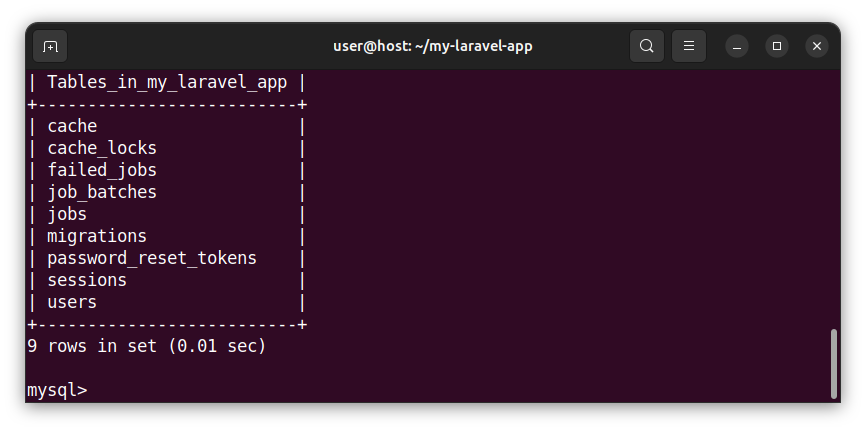
If we inspect the database, we see that it no longer has the mytable table.
Creating another table
To create another table, we create another migration file and use a different table name. We also follow the create_somename_table naming convention which allows Laravel to automatically guess the table name and generate the table-creation code In the terminal, we write:
php artisan migrate:make create_my_second_table_tableThis command creates another migration file in the database/resources folder. The migration file is prefixed with a timestamp and the migration class is pre-filled with code that both defines and drops the my_second_table table.
To invoke/run this migration in the terminal, we execute the following command:
php artisan migrateAlternatively, we can roll back all migrations and then execute a migration using a single command:
php artisan migrate:refresh #rolls back the migrations and executes the migrate commandThis command creates another table in our database, called my_second_table.
To drop the table, we rollback the last batch of migrations:php artisan migrate:rollbackCreating multiple tables using a single migration file
We can also create multiple tables using a single migration file. Let us create a migration file, called, for example, create_multiple_tables_table:php artisan make:migration create_multiple_tables_tableThen, inside this file's up() function, we add multiple Schema::create() function calls:
Schema::create('mytable1', function (Blueprint $table) {
     $table->id();
     $table->timestamps();
});

Schema::create('mytable2', function (Blueprint $table) {
     $table->id();
     $table->timestamps();
});

Schema::create('mytable3', function (Blueprint $table) {
     $table->id();
     $table->timestamps();
});
This code defines three different tables in our database. To invoke this code and create three tables in a database, we execute a migration in a terminal:
php artisan migrateAlternatively, use a fresh migration instead, but be careful as a fresh migration drops all the tables first:
php artisan migrate:refresh #drops all tables and re-runs the migrationInside the down() function in our migration file, we add multiple Schema::dropIfExists() drop calls:
Schema::dropIfExists('mytable1');
Schema::dropIfExists('mytable2');
Schema::dropIfExists('mytable3');
This code drops three tables from our database. To invoke this code, in a terminal, we rollback the migration:
php artisan migrate:rollbackSummary
In this tutorial we learned how to utilize migrations to both create and drop tables from a database. In our next tutorial, we will learn how to define fields/columns for a table.


