Exercise - Using Arrays in a View
In this exercise, we will learn how to display array elements in a view.
Exercise text
In a Laravel application, pass an array variable to the view, and use the foreach statement to display the array elements inside a view.
Passing an array to a view
Inside the web.php file, we define a route, pass an array variable to the view, and return a view:
<?php

use Illuminate\Support\Facades\Route; // import the Route facade

Route::get('/', function () {  // define a route
    // define an array variable
    $myItems =
        [
            'This is the first array item',
            'This is the second array item',
            'This is the last array item'
        ];

    // pass the variable to a view and return a view
    return view('mypage', ['myItems' => $myItems]);
});
Creating a template
To create a view (a Blade template file), in the terminal window, we execute the following statement:
php artisan make:view mypageWe open the newly created mypage.blade.php template file from the resources/views folder and paste the following HTML code:
<!DOCTYPE html>
<html lang="en">
<head>
    <meta charset="UTF-8">
    <meta name="viewport" content="width=device-width, initial-scale=1.0">
    <title>Laravel Exercise - Arrays</title>
</head>
<body>

    <h1>Displaying array elements</h1>
    <p>The array elements are:</p>
    <ul>
        @foreach ($myItems as $myItem)
            <li>{{ $myItem }}</li>
        @endforeach
    </ul>

</body>
</html>
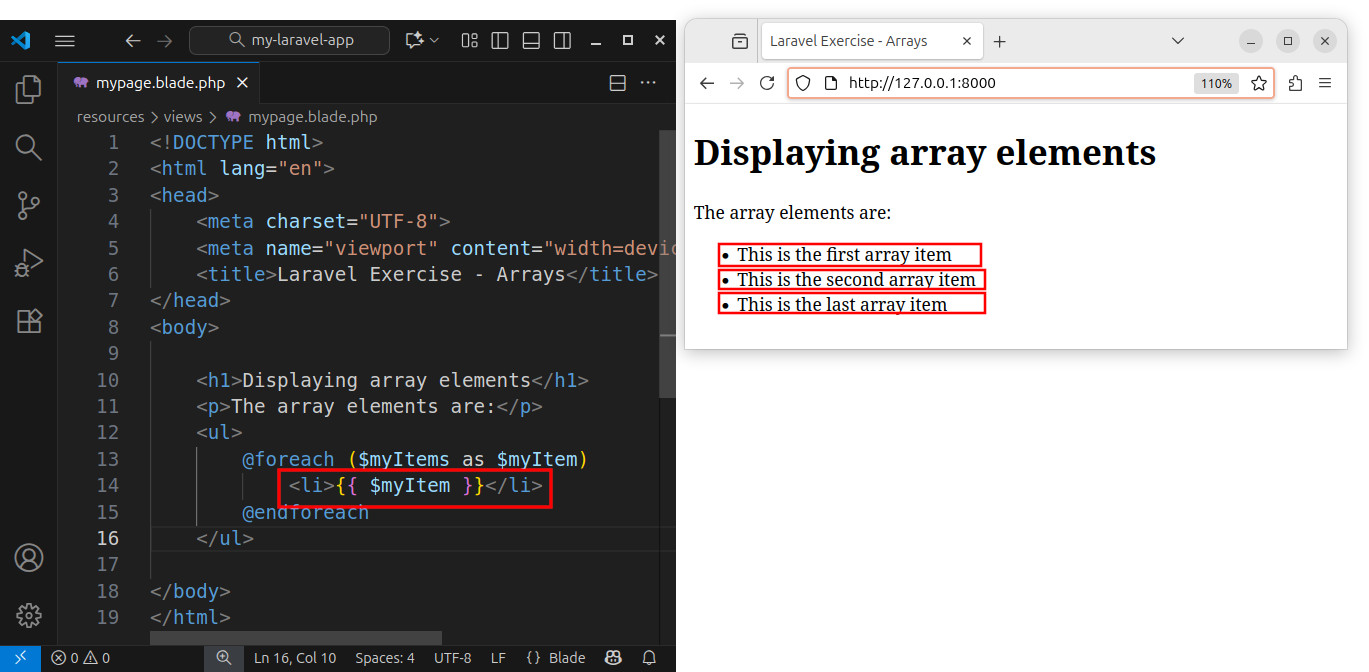
In this code, we used the @foreach statement to iterate over array elements and create HTML elements for our page. Inside the @foreach loop, we create list items for the unordered list. Each array element becomes a text for the list item. In each loop iteration, we display the value of the current array item using the {{ $myItem }} Blade echo statement.
Finally, we access the local http://127.0.0.1:8000 address in our browser:

We see the rendered HTML page where each array element becomes a text for the list item.
Summary
In this exercise, we defined an array variable and passed it to the view. Inside the view's source code, we used the foreach loop to iterate over array elements and create new <li> </li> items for our HTML page.
Note: Currently, we are using a foreach loop inside our HTML view to iterate over array elements. Later in this course, we will be using the foreach loop to iterate over a collection of database records.


