The foreach Directive
The foreach directive (loop) allows us to iterate over array or collection elements. The foreach directive syntax is:
@foreach ($items as $item)
    some_template_code
@endforeach
In each iteration the $item gets/represents a value of the current array element. In the first iteration, the $item gets assigned the value of the first array element. In the second iteration of our foreach loop, the $item gets assigned the value of the second array element and so on until the foreach loop exits. The foreach loop iterates through all the elements and then terminates.
Passing an array to a template
In our web.php file, we can pass an array variable to our template file. Let us name the array variable $items, for example. The source code for our web.php file now looks like the following:
<?php

use Illuminate\Support\Facades\Route; // import the Route facade

Route::get('/', function () {  // define a route
    $items = // define an array variable
        [
            'This is the first array element.',
            'This is the second array element.',
            'This is the last array element.',
        ];
    return view('myview', ['items' => $items]); // pass a variable to a template
});
Using the foreach loop in a template
We create a myview.blade.php template file and place it in the resources/view folder. Open the template file and paste the following code:
<!DOCTYPE html>
<html lang="en">

<head>
    <meta charset="UTF-8">
    <meta name="viewport" content="width=device-width, initial-scale=1.0">
    <title>The if directive in Laravel</title>
</head>

<body>
    <h1>Using the foreach directive</h1>
    @foreach($items in $item)
        <p>{{ $item }}</p>
    @endforeach
</body>

</html>
This template code uses a regular HTML code and the following @foreach directive code:
@foreach($items in $item)
    <p>{{ $item }}</p>
@endforeach
The @foreach directive iterates over $items array elements. Inside a loop, in each iteration, the $item variable gets assigned the value of the current array element. In each iteration, we opted to create a new paragraph and display the value of the current array item using the {{ }}echo statement.
If we access the local URL in our browser, we see the resulting HTMl page:
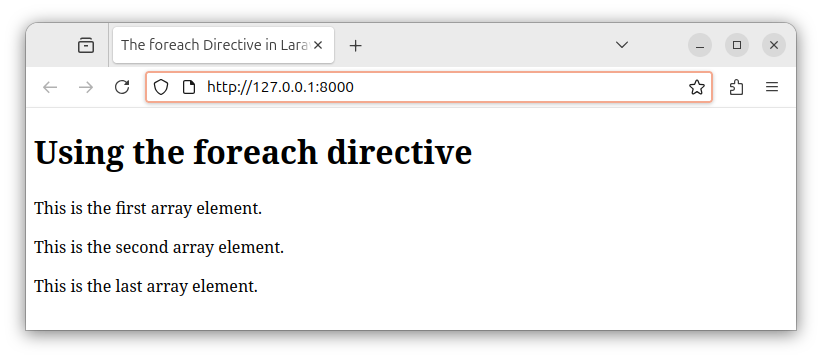
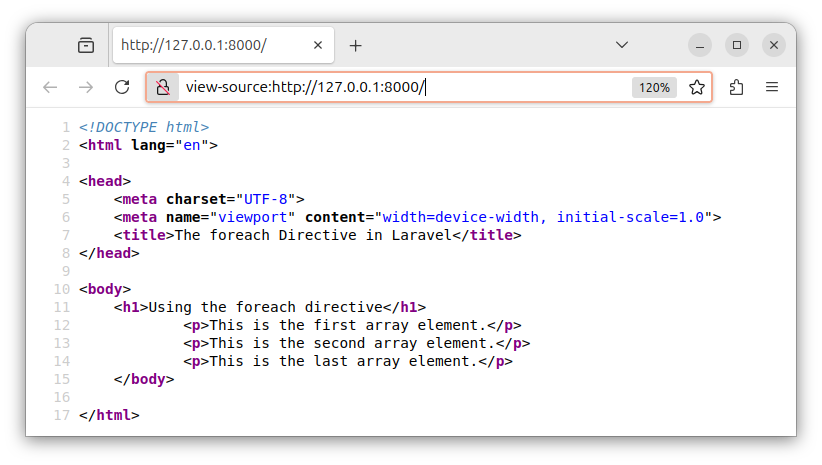
In this tutorial, we used the foreach loop to iterate over array elements – to display all the array elements in our HTML page. If we inspect the source code of this document, we see it contains three paragraphs that were created using the foreach loop.
For now, it is important to get familiar with the foreach template directive, as later in this course, we will be using the foreach loop to iterate over a collection of database records.
In our next tutorial, we will learn how to work with subviews - subtemplates.


