Updating Records in Laravel
In this tutorial, we will learn how to edit and update the existing record in Laravel. We will build on the framework from our previous tutorial on inserting a record.
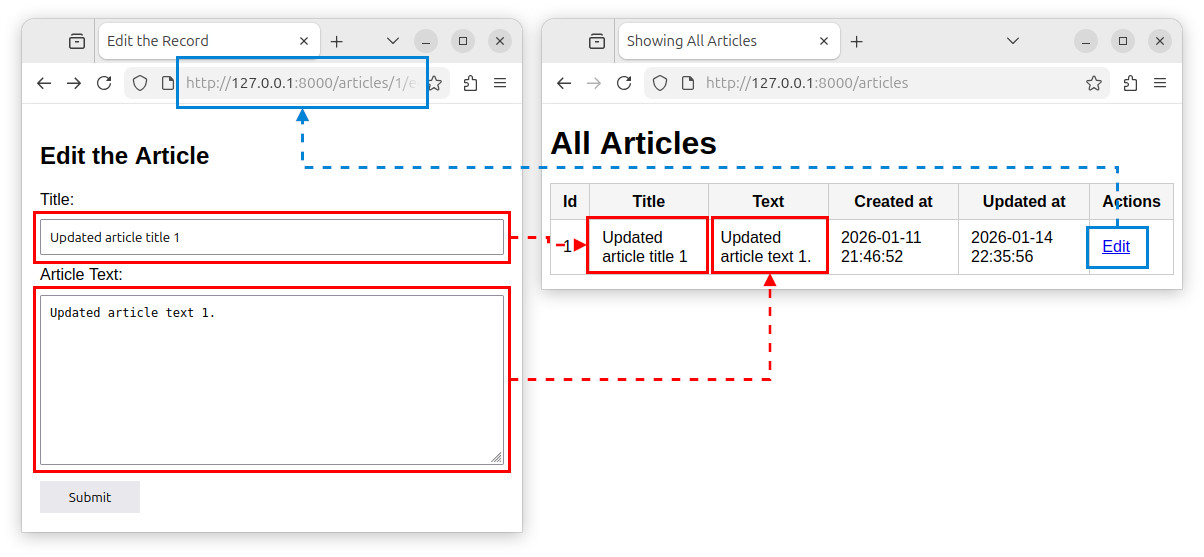
The workflow
To edit and update the record in Laravel, we follow these steps:
- Find the record we want to edit.
- Display the record's data using a form.
- Submit the form and update the record in a database.
Defining routes
To achieve the above steps, we will define two additional routes. Open the web.php file from the previous tutorial and add two new, parametrized routes to the file:
- /articles/{id}/edit – displays the form for editing a record (through the GET request).
- /articles/{id} – updates the record on the server side (through the PUT request).
Paste the following code at the end of the existing web.php file:
Route::get('/articles/{id}/edit', [ArticleController::class, 'edit']);
Route::put('/articles/{id}', [ArticleController::class, 'update']);
The first route uses the {id} parameter to fetch a record with a given id and display its fields in a form. This route is handled by the controller's edit method.
Route::get('/articles/{id}/edit', [ArticleController::class, 'edit']);The second route is accessed through the PUT HTTP request when we submit the form. This route will be handled by the controller's update method and is used to update the record in a database. To define this route, we used the Route::put() function.
Route::put('/articles/{id}', [ArticleController::class, 'update']);Defining controller's methods
Open the ArticleController.php file from our previous tutorial, and add the following code to the ArticleController class:
// edit the record
public function edit(string $id)
{
    // find the record by the id colum
    $myArticle = Article::findOrFail($id);
    // return the edit view with the record's (myArticle) data
    return view('edit', ['myArticle' => $myArticle]);
}

// update the record
public function update(Request $request, string $id)
{
    // find the record by the id colum
    $myArticle = Article::findOrFail($id);

    // validate the data from a form:
    $validated = $request->validate([
        'title' => 'required',
        'article_text' => 'required'
    ]);

    // update the record with new column values
    $myArticle->title = $request->title;
    $myArticle->article_text = $request->article_text;
    $myArticle->save(); // and update the record in a database

    // redirect to the /articles route
    return redirect('/articles');
}
The first method, called edit, finds a record we want to edit using the route's {id} parameter value:
// find the record by the id colum
$myArticle = Article::findOrFail($id);
Then, it passes the found record to a view and returns a view. The view will display a form populated with the record's data.
// return the edit view with the record's (myArticle) data
return view('edit', ['myArticle' => $myArticle]);
The second method, called update(), accepts two parameters, one for accepting fields from a request, and the other for handling the route's {id} parameter:
public function update(Request $request, string $id)The function finds the record that needs to be updated:
// find the record by the id colum
$myArticle = Article::findOrFail($id);
Validates the form's fields:
// validate the data from a form:
$validated = $request->validate([
    'title' => 'required',
    'article_text' => 'required'
]);
Sets new field values using the form's values passed to the request:
$myArticle->title = $request->title;
$myArticle->article_text = $request->article_text;
And updates the record in a database using the model's save() method:
$myArticle->save();Finally, we redirect the user to a route, for example the /articles route that displays all the records:
// redirect to the /articles route
return redirect('/articles');
Note: The updated_at column is automatically updated when we call the save() method.
Using the update() method to update a record
Alternatively, instead of using the model's ->find() ... ->save() combination, we can use the model's update() method to update the record in a database. This method accepts an array of comma separated 'column_name' => value key-value pairs, and updates the record:
// update the record with new column values
$myArticle->update([
    'title' => $request->title,
    'article_text' => $request->article_text,
]);
If using the update() method, we must make the fields fillable / mass assignable in our model. In our case, we need to make the following modifications to the $fillable property of the Article class inside our Article.php file:
class Article extends Model
{
    protected $fillable = [
        'title',
        'article_text',
    ];
}
Creating a view
We need to create only one view, called, for example, edit. This view will display and populate the form used for editing the record. In the terminal, we execute:
php artisan make:view edit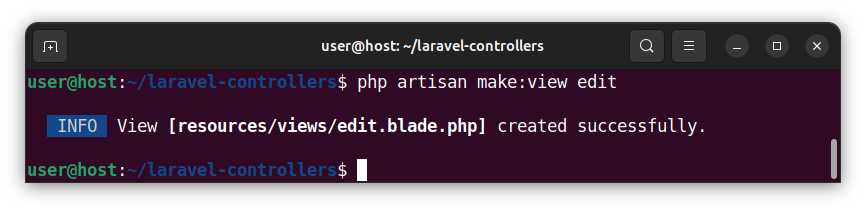
Open the newly created edit.blade.php file and paste the following code:
<!DOCTYPE html>
<html lang="en">

<head>
  <meta charset="UTF-8">
  <title>Edit the Record</title>
  <style>
    body { font-family: Arial, sans-serif; padding: 10px; }
    form { max-width: 500px; display: flex; flex-direction: column; gap: 10px; }
    input, textarea, button { padding: 8px; }
    textarea { height: 150px; }
    button { margin-top: 5px; border: none; cursor: pointer; width: 100px; }
  </style>
</head>

<body>
  <h2>Edit the Article</h2>
  <!-- Display validation errors (if any) -->
  @if($errors->any())
  <ul>
    @foreach ($errors->all() as $error)
        <li>{{ $error }}</li>
    @endforeach
  </ul>
  @endif
  <!-- Display the form -->
  <form action="/articles/{{ $myArticle->id }}" method="POST">
    @csrf
    @method('PUT') <!-- Spoof/emulate the PUT request/method -->
    <label for="title">Title:</label>
    <input type="text" name="title" value="{{ $myArticle->title }}">
    <label for="article_text">Article Text:</label>
    <textarea name="article_text">{{ $myArticle->article_text }}</textarea>
    <button type="submit">Submit</button>
  </form>
</body>

</html>
This code displays the form with two fields and a Submit button. The form's destination url is dynamically set through the:
<form action="/articles/{{ $myArticle->id }}" method="POST">The title field is populated with the {{ $myArticle->title }} value:
<input type="text" name="title" value="{{ $myArticle->title }}">And the article_text field is populated with the {{ $myArticle->article_text }} value/echo statement:
<textarea name="article_text">{{ $myArticle->article_text }}</textarea>This form also uses the @csrf directive to protect against the cross-site request forgery attacks. The form also has the @method('PUT') directive which spoofs/emulates the PUT request method. Since forms only have the GET and POST methods, the @method('PUT') directive emulates this PUT method and allows the form to submit the PUT request. The PUT is the preferred HTTP request when updating the record in Laravel.
Note: the form's method remains POST but the presence of the @method('PUT')directive allows the framework to actually make a PUT request when the form is submitted.
Retaining old input on a form
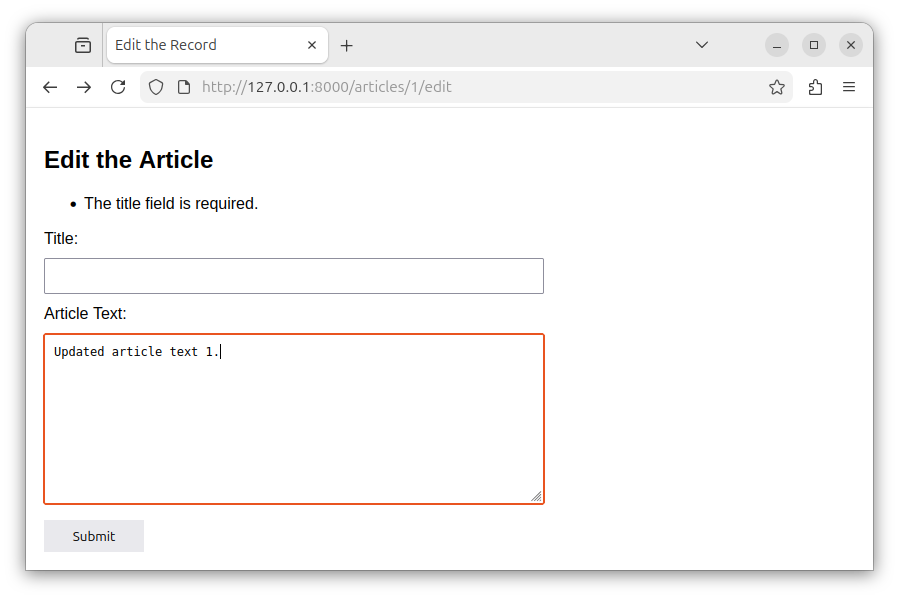
Currently, our form is populated with the {{ $myArticle->title }} and the {{ $myArticle->article_text }} values. If the validation error occurs, our form will still have these values.
But usually, we want to retain the old input, the modifications we made to the form's fields. This way, we do not have to enter all the values again just because we made a small mistake on one of the fields. To retain the old input on a form, we set the form's fields to the value of the global old() helper function. The old() helper function returns the old input value (if there is one), otherwise, it returns a default value:
old('field_name', 'default_value');Let us now modify the title input inside the edit.blade.php file to:
<input type="text" name="title" value="{{ old('title', $myArticle->title) }}">And the article_text text area to:
<textarea name="article_text">{{ old('article_text', $myArticle->article_text) }}</textarea>This way, when we submit the form and the error occurs, all previous modifications to fields in our form are preserved.
Modifying the index view
Let us modify the existing index.blade.php template so that it adds the Actions column and an Edit link for every record. Paste the following code, overwriting the existing code:
<!DOCTYPE html>
<html lang="en">
<head>
    <meta charset="UTF-8">
    <title>Showing All Articles</title>
    <style>
        body { font-family: Arial; }
        table { border-collapse: collapse; }
        th, td { border: 1px solid #ccc; padding: 8px 12px; }
        th { background: #f5f5f5; }
    </style>
</head>
<body>
    <h1>All Articles</h1>

    <table>
        <thead>
            <tr>
                <th>Id</th>
                <th>Title</th>
                <th>Text</th>
                <th>Created at</th>
                <th>Updated at</th>
                <th>Actions</th>
            </tr>
        </thead>
        <tbody>
            @foreach($myArticles as $article)
                <tr>
                    <td>{{ $article->id }}</td>
                    <td>{{ $article->title }}</td>
                    <td>{{ $article->article_text }}</td>
                    <td>{{ $article->created_at }}</td>
                    <td>{{ $article->updated_at }}</td>
                    <td><a href="/articles/{{ $article->id }}/edit">Edit</a></td>
                </tr>
            @endforeach
        </tbody>
    </table>
</body>
</html>
Here, we added a new column, called Actions:
<th>Actions</th>And a clickable link to a parametrized route that edits a given record:
<td><a href="/articles/{{ $article->id }}/edit">Edit</a></td>The route's parameter is set through the {{ $article->id }} blade echo statement. This way, the anchor link becomes '/articles/1/edit', '/articles/2/edit', and so on, depending on the current record's id column value.
Testing the updates
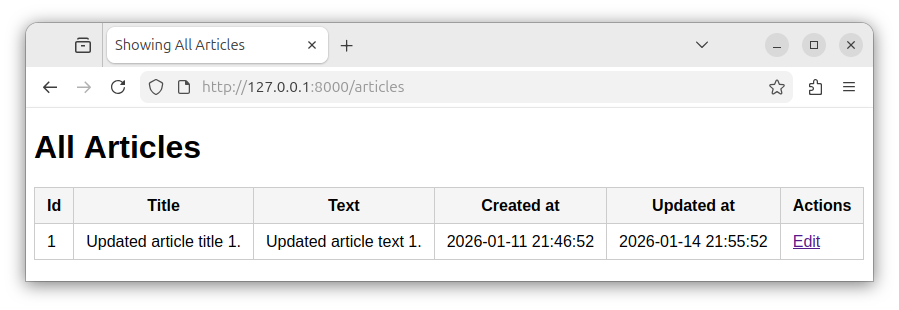
If we access the http://127.0.0.1:8000/articles route in our app, we see that the page displays all the records, and links for editing each of these records:
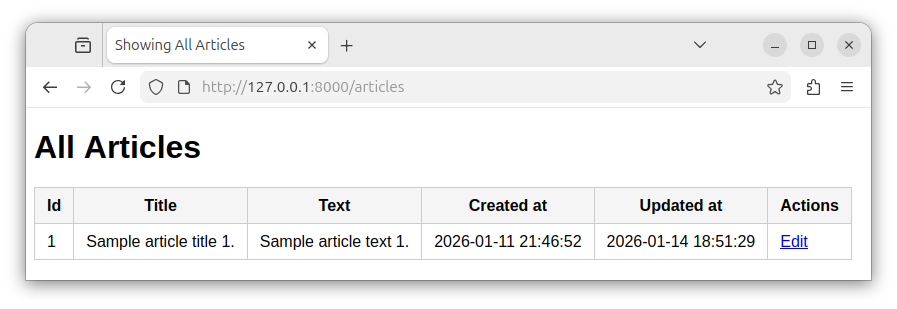
To edit the record whose ID is 1, we click the Edit link, and that takes us to the following route http://127.0.0.1:8000/articles/1/edit:
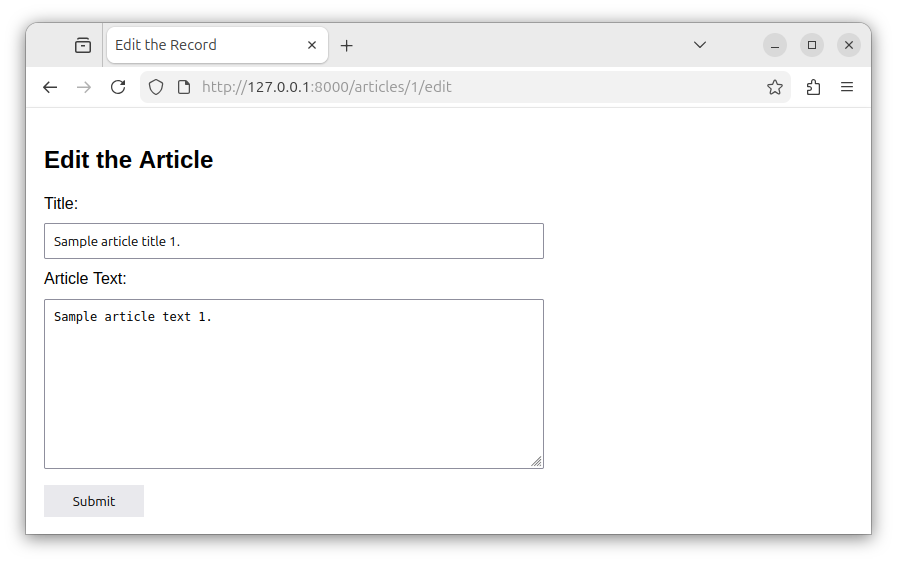
This route displays a form used for editing a single record. The form is populated with the record's details.
If we make changes to current form's values and click the Submit button:
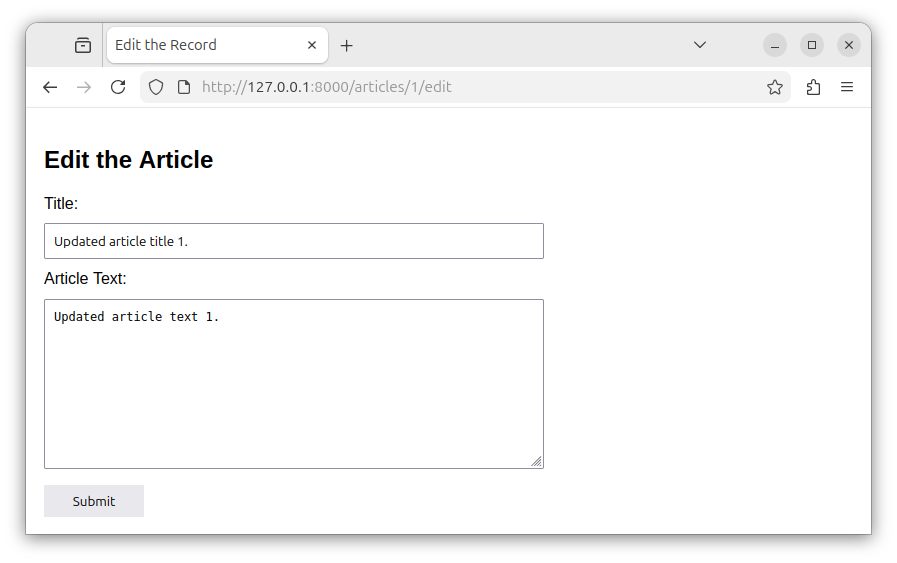
The record gets updated and we are redirected to the /articles route which now displays the updated record.
Summary
In this tutorial we learned how to edit a record using a form, and how to update the record using the Laravel's models and controllers. In our next tutorial, we will learn how to delete a record from a table.


