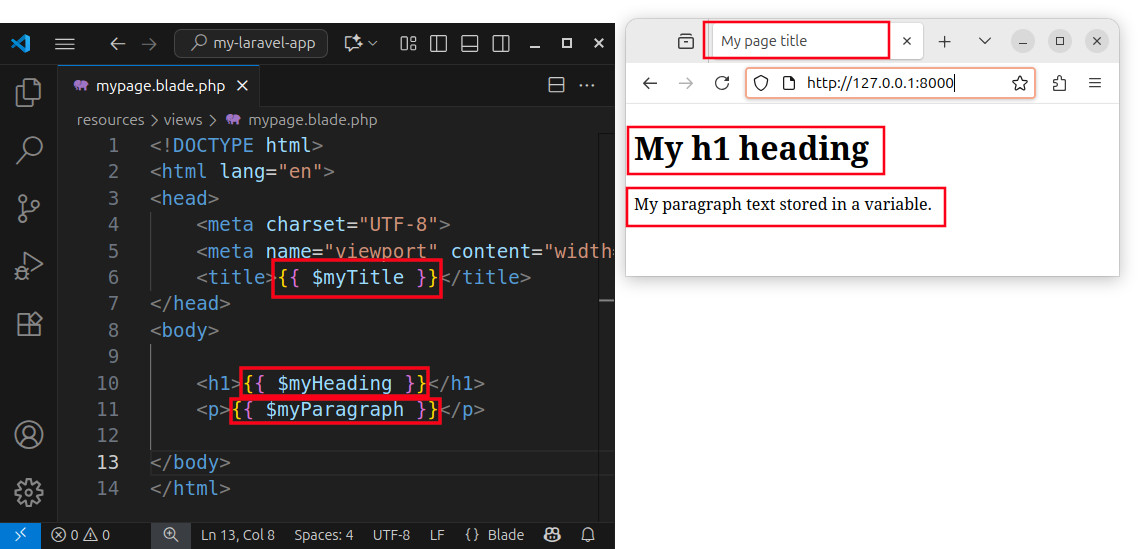
Exercise - Using Variables in a View
In this exercise, we pass several variables to a view and use those variables as a text for various HTML elements.
Exercise description
In a Laravel application, define an index route and return a view to that route. Define several local variables, such as:
$myTitle$myHeading$myParagraph
Pass those variables to a view called mypage. Use the variables as values for the <title>, <h1> and <p> elements in an HTML template. Access the index route in a browser and observe the results.
Defining a route and passing variables
We will use the web.php file to:
- Define a route using the
Route::get()function. - Define a few local variables.
- Pass the local variables to a view.
- Return a view to the route.
The complete source code for the web.php file is:
<?php

use Illuminate\Support\Facades\Route; // import the Route facade

Route::get('/', function () {  // define a route
    // define several variables
    $myTitle = 'My page title';
    $myHeading = 'My h1 heading';
    $myParagraph = 'My paragraph text stored in a variable.';

    // pass the variables and return a view
    return view(
        'mypage',
        [
            'myTitle' => $myTitle,
            'myHeading' => $myHeading,
            'myParagraph' => $myParagraph,
        ]
    );
});
Creating a template
To create the mypage.blade.php template file, we execute the following artisan command in a shell:
php artisan make:view mypageThe command creates a template file named mypage.blade.php and places it inside the resources/views folder. We open the file and paste the following HTML code:
<!DOCTYPE html>
<html lang="en">
<head>
    <meta charset="UTF-8">
    <meta name="viewport" content="width=device-width, initial-scale=1.0">
    <title>{{ $myTitle }}</title>
</head>
<body>

    <h1>{{ $myHeading }}</h1>
    <p>{{ $myParagraph }}</p>

</body>
</html>
This HTML code also uses Blade echo statements {{ }} to display the value of our variables. The {{ $myTitle }} statement becomes a value for the <title> element. The {{ $myHeading }} statement displays the value of the $myHeading variable and that becomes a value for the <h1> element. And, the {{ $myParagraph }} statement becomes a value for the paragraph on our page.
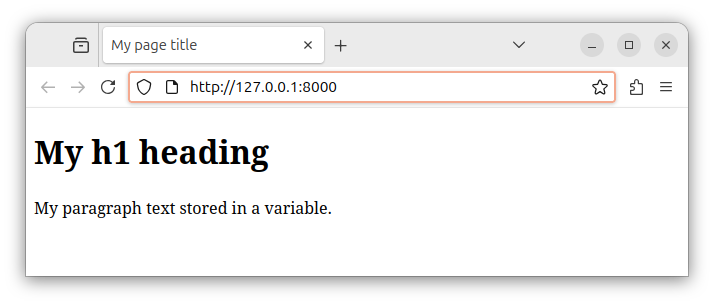
When we open the local index route of http://127.0.0.1:8000 in our browser, we see the final HTML output.
Summary
In this exercise, we defined several variables and passed them to a view. We also defined a route and returned the view to a route. In the template file, we used multiple Blade echo statements {{ }} to display the values of those variables. Each variable serves as a value for a particular HTML element - the value inside a particular HTML tag on our page. Finally, we observe the values of those variables inside our HTML page.