Laravel Exercise - Updating a Record
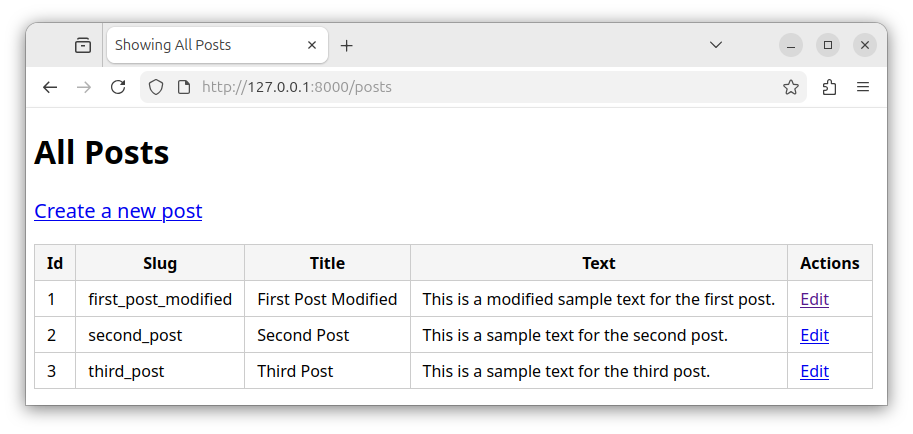
In this exercise, we will use the HTML form to edit a record and a controller method to update the record.
We will build on files from our previous exercise on inserting a record.
Exercise text
In an existing Laravel app, modify the existing files to allow for editing and updating of records in a posts table.
- Modify the index.blade.php template and add the Edit link for every record.
- Create an additional
edit.blade.phpBlade template file that displays the HTML form for editing a record. - Add the following methods to the
PostControllercontroller:- The
edit()method - fetches a record and displays a record in a form. - The
update()method - validates and updates the record in a database.
- The
- Add the following routes to the web.php file:
/posts/{id}/edit- the GET route that displays the record's fields in a form./posts/{id}/- the PUT route that updates the record in a database.
Templates
Creating the 'edit' template
Create the edit.blade.php template in a terminal window:
php artisan make:view edit
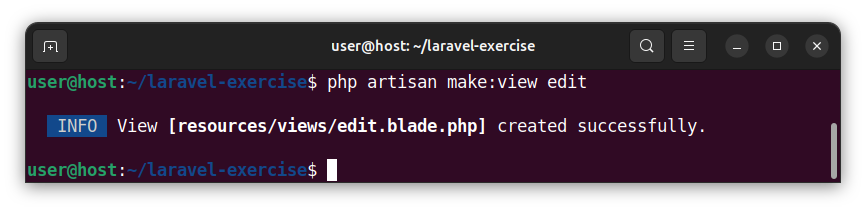
Open the edit.blade.php file and paste the following code:
<!DOCTYPE html>
<html lang="en">
<head>
  <meta charset="UTF-8">
  <title>Edit a Post</title>
  <style>
    body { font-family: Arial, sans-serif; padding: 10px; }
    form { max-width: 400px; display: flex; flex-direction: column; gap: 10px; }
    input, textarea, button { padding: 5px; }
    textarea { height: 150px; }
    button { margin-top: 5px; border: none; cursor: pointer; width: 100px; }
    .errors-list { max-width: 380px; background-color: #f6cfd2; color: #7f1f27; padding: 10px; }
    .errors-item { margin-left: 20px; }
  </style>
</head>
<body>
  <h2>Edit a Post</h2>
  <!-- Display validation errors, if any -->
    @if ($errors->any())
        <ul class="errors-list">
            @foreach ($errors->all() as $error)
                <li class="errors-item">{{ $error }}</li>
            @endforeach
        </ul>
  @endif
  <form action="{{ route('posts.update', [$myPost->id]) }}" method="POST">
    @csrf
    @method('PUT') <!-- Spoof the PUT method -->
    <label for="slug">Slug:</label>
    <input type="text" name="slug" value="{{ old('slug', $myPost->slug) }}">
    <label for="title">Title:</label>
    <input type="text" name="title" value="{{ old('title', $myPost->title) }}">
    <label for="post_text">Post Text:</label>
    <textarea name="post_text">{{ old('post_text', $myPost->post_text) }}</textarea>
    <button type="submit">Update</button>
  </form>
</body>
</html>
This code displays a form containing the record's data. The form submits the data to the {{ route('posts.update', [$myPost->id]) }} destination/route. Here, we used a helper route() function which resolves to one of the actual PUT routes, depending on the current record's id value:
posts/1posts/2posts/3etc.
Each form field retains the old/modified value using the old() helper function. If there are no modifications to the form fields, the form displays the record's values instead.
Modifying the 'index' template
Open the existing index.blade.php template file and replace the existing code with the following code:
<!DOCTYPE html>
<html lang="en">
<head>
    <meta charset="UTF-8">
    <title>Showing All Posts</title>
    <style>
        body { font-family: sans-serif; }
        table { border-collapse: collapse; }
        th, td { border: 1px solid #ccc; padding: 6px 12px; }
        th { background: #f5f5f5; }
        body a { font-size: 1.25rem; display: inline-block; margin-bottom: 20px; }
        td a { font-size: 1rem; margin-bottom: 0; }
    </style>
</head>
<body>
    <h1>All Posts</h1>
    <a href="{{ route('posts.create') }}">Create a new post</a>
    <table>
        <thead>
            <tr>
                <th>Id</th>
                <th>Slug</th>
                <th>Title</th>
                <th>Text</th>
                <th>Actions</th>
            </tr>
        </thead>
        <tbody>
            @foreach($allPosts as $post)
                <tr>
                    <td>{{ $post->id }}</td>
                    <td>{{ $post->slug }}</td>
                    <td>{{ $post->title }}</td>
                    <td>{{ $post->post_text }}</td>
                    <td><a href="{{ route('posts.edit', [$post->id]) }}">Edit</a></td>
                </tr>
            @endforeach
        </tbody>
    </table>
</body>
</html>
This code displays the page that shows all the records from a posts table. The HTML table has an additional "Actions" column and an Edit link next to each record. Each link uses a route() helper function as a destination. The helper function returns an actual /posts/{id}/edit route, depending on the current record's id value.
Modifying the PostController class
Open the existing PostController.php file and replace its content with the following code:
<?php

namespace App\Http\Controllers;

use App\Models\Post;
use Illuminate\Http\Request;

class postController extends Controller
{
    public function index()
    {
        $allPosts = Post::all();
        return view('index', ['allPosts' => $allPosts]);
    }

    public function create()
    {
        return view('create');
    }

    public function store(Request $request)
    {
        // use the validate() method to validate the data
        $validated = $request->validate([
            // validate the slug field against the 'required', 'string', 'min:3',
            // and the 'unique in the posts table' rules
            'slug' => 'required|string|min:3|unique:posts,slug',
            // validate the title field against the 'required' 'string' and
            // 'minimum 3 characters in length' rules
            'title' => 'required|string|min:3',
            // validate the post_text field against the 'required', 'string',
            // 'min:3' and 'max 1000 characters' rules
            'post_text' => 'required|string|min:3|max:1000',
        ]);
        // if the validation is successful, insert the record
        $newPost = new Post();
        $newPost->slug = $validated['slug'];
        $newPost->title = $validated['title'];
        $newPost->post_text = $validated['post_text'];
        $newPost->save();

        // and redirect the user to the `/posts` route
        // using the posts.index named route
        return redirect()->route('posts.index');
    }

    // edit the record
    public function edit(string $id)
    {
        // find the record by the id column
        $myPost = Post::findOrFail($id);
        // return the edit view with the record's data
        return view('edit', ['myPost' => $myPost]);
    }

    // update the record
    public function update(Request $request, string $id)
    {
        // find the record by the id column
        $myPost = Post::findOrFail($id);

        // validate the data
        $validated = $request->validate([
            // removed the unique validation rule for a slug
            // because we are updating the existing record
            'slug' => 'required|string|min:3',
            'title' => 'required|string|min:3',
            'post_text' => 'required|string|min:3|max:1000',
        ]);

        // update the record with new column values
        $myPost->slug = $validated['slug'];
        $myPost->title = $validated['title'];
        $myPost->post_text = $validated['post_text'];
        $myPost->save(); // save/update the record in a database

        // redirect to the '/posts' route:
        return redirect()->route('posts.index');
    }
}
We added two new member functions/methods to our PostController controller:
edit()- finds a single record and displays it in a form.update()- accepts the edited data from a form, validates it, and updates the record in a table.
Modifying the web.php file
Open the web.php file and replace the current source code with the code provided below:
<?php

use App\Http\Controllers\PostController;
use Illuminate\Support\Facades\Route;

Route::get('/posts', [PostController::class, 'index'])->name('posts.index');
Route::get('/posts/create', [PostController::class, 'create'])->name('posts.create');
Route::post('/posts/create', [PostController::class, 'store'])->name('posts.store');
Route::get('/posts/{id}/edit', [PostController::class, 'edit'])->name('posts.edit');
Route::put('/posts/{id}', [PostController::class, 'update'])->name('posts.update');
We added two new routes to our web application:
/posts/{id}/edit- displays a record in form and makes it available for editing (through a GET request). We gave this route aposts.editname./posts/{id}- updates the record in a database (through a PUT request). We gave this route aposts.updatename.
Summary
To display all the records, we access the 127.0.0.1:8000/posts route:
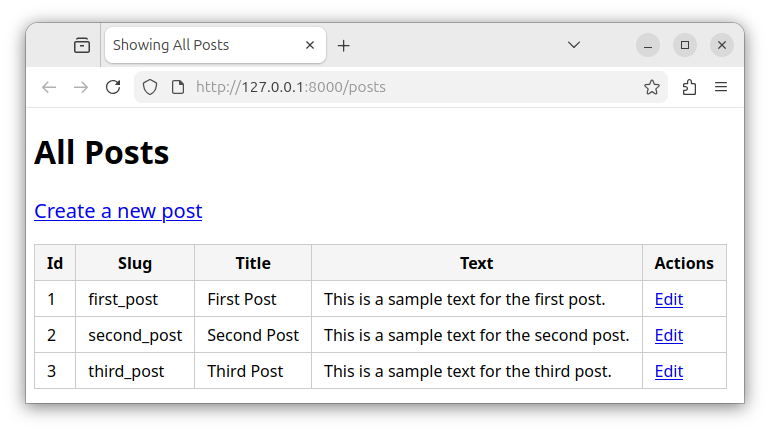
This route displays all the records in a table, along with the Edit links for each record.
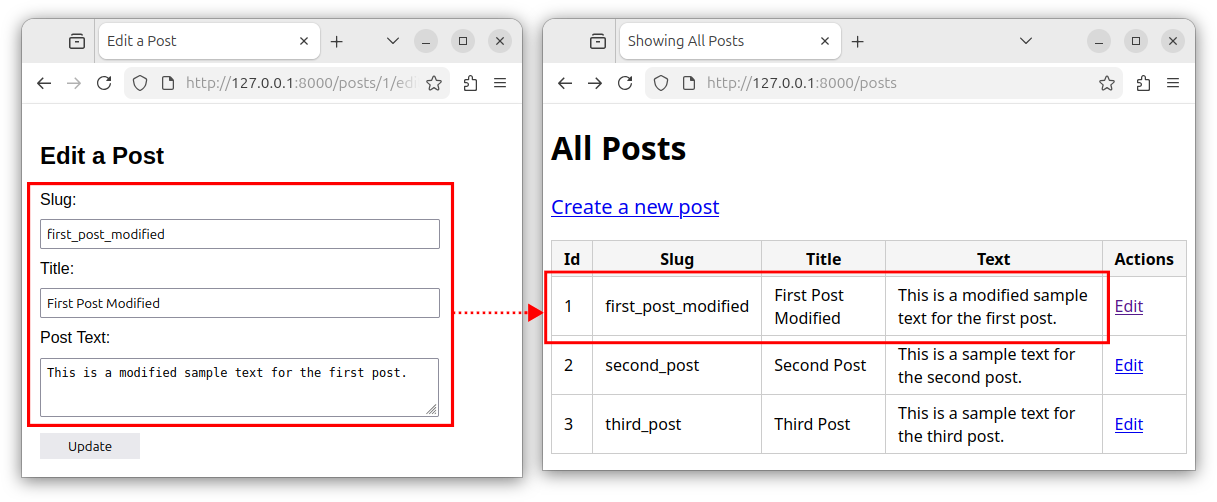
If we click on one of the Edit links, we are taken to the appropriate 127.0.0.1:8000/posts/{id}/edit route which shows a form for editing the record's data:
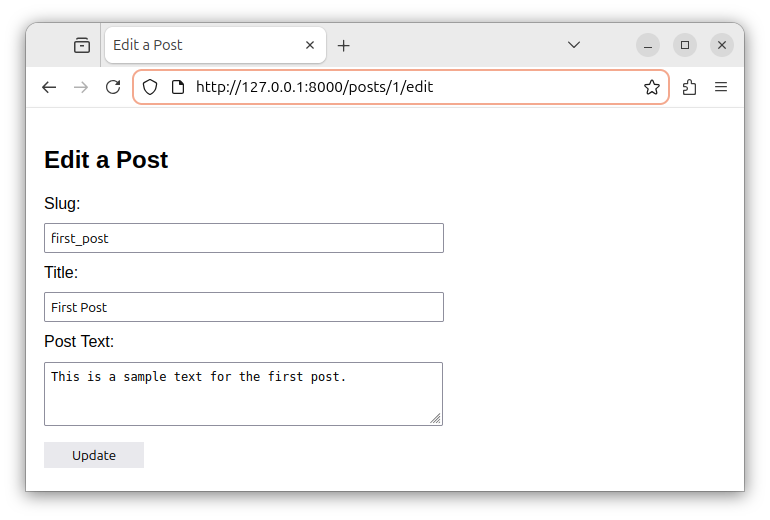
We make modifications to the form's data and click on the Update button:
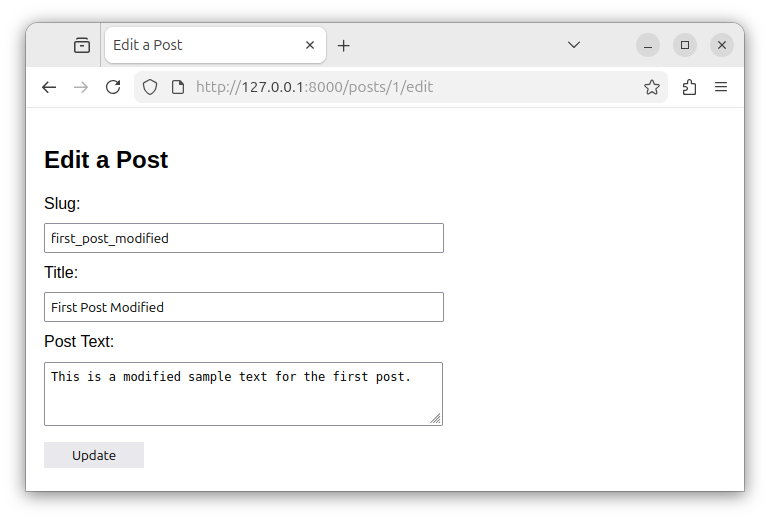
The appropriate PUT route is handled, the record is updated in a database, and we are redirected back to the /posts route which displays the updated record.