Exercise - Deleting a Record
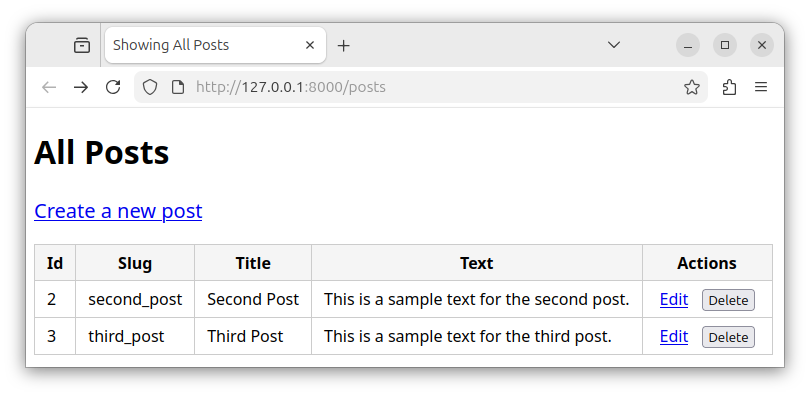
In this exercise, we will add the functionality to delete records from a table.
We will add new functionality to the files from our previous exercise on updating a record.
Exercise text
In an existing Laravel app, modify the files to allow deleting records from the posts table.
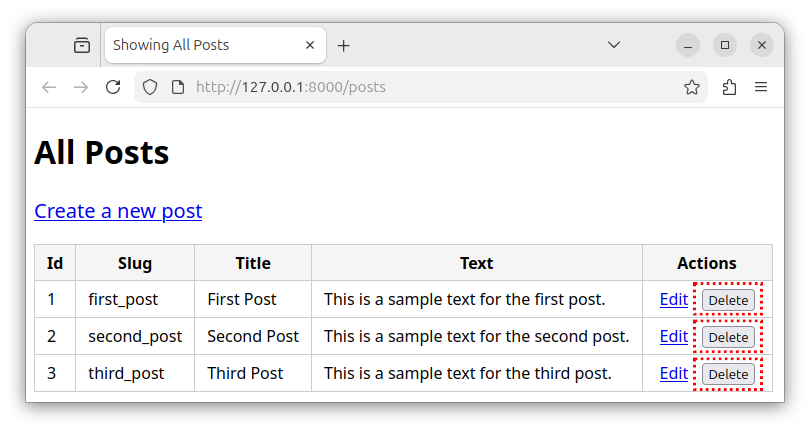
- Modify the index.blade.php template and add multiple forms, each with a Delete button for all records.
- Add the following methods to the
PostControllercontroller:- The
destroy()method - deletes a record and redirects the user to the/postsroute.
- The
- Add the following route to the web.php file:
/posts/{id}/edit- the DELETE route that deletes the record from a table.
Templates
Modifying the index template
Open the index.blade.php file and replace its content with the following source code:
<!DOCTYPE html>
<html lang="en">
<head>
    <meta charset="UTF-8">
    <title>Showing All Posts</title>
    <style>
        body { font-family: sans-serif; }
        table { border-collapse: collapse; }
        th, td { border: 1px solid #ccc; padding: 6px 12px; }
        th { background: #f5f5f5; }
        body a { font-size: 1.25rem; display: inline-block; margin-bottom: 20px; }
        td a { font-size: 1rem; margin-bottom: 0; }
        .actions a, .actions form { display: inline-block; margin: 0 5px; }
    </style>
</head>
<body>
    <h1>All Posts</h1>
    <a href="{{ route('posts.create') }}">Create a new post</a>
    <table>
        <thead>
            <tr>
                <th>Id</th>
                <th>Slug</th>
                <th>Title</th>
                <th>Text</th>
                <th>Actions</th>
            </tr>
        </thead>
        <tbody>
            @foreach($allPosts as $post)
                <tr>
                    <td>{{ $post->id }}</td>
                    <td>{{ $post->slug }}</td>
                    <td>{{ $post->title }}</td>
                    <td>{{ $post->post_text }}</td>
                    <td class="actions"><a href="{{ route('posts.edit', [$post->id]) }}">Edit</a>
                        <form action="{{ route('posts.destroy', [$post->id]) }}" method="POST" onsubmit="return confirm('Delete this post?');">
                            @csrf {{--The csrf protection --}}
                            @method('DELETE') {{-- Spoof the DELETE method --}}
                            <button type="submit">Delete</button>
                        </form>
                    </td>
                </tr>
            @endforeach
        </tbody>
    </table>
</body>
</html>
Now, our HTML table has multiple deletion forms inside the "Actions" column, one for every record. Each form has a single Delete button that submits a form and sends a DELETE request to the appropriate /posts/{id} route. Each form submits to a different /posts/{id} route destination. The destination is determined using the route() helper function and a post->id field value.
Modifying the PostController.php file
Open the PostController.php file and paste the following code, replacing the previous content:
<?php

namespace App\Http\Controllers;

use App\Models\Post;
use Illuminate\Http\Request;

class postController extends Controller
{
    // fetch and display all records
    public function index()
    {
        $allPosts = Post::all();
        return view('index', ['allPosts' => $allPosts]);
    }

    // display the "New Post" form
    public function create()
    {
        return view('create');
    }

    // insert the record
    public function store(Request $request)
    {
        // use the validate() method to validate the data
        $validated = $request->validate([
            'slug' => 'required|string|min:3|unique:posts,slug',
            'title' => 'required|string|min:3',
            'post_text' => 'required|string|min:3|max:1000',
        ]);
        // insert the record
        $newPost = new Post();
        $newPost->slug = $validated['slug'];
        $newPost->title = $validated['title'];
        $newPost->post_text = $validated['post_text'];
        $newPost->save();

        // redirect the user to the `/posts` route
        return redirect()->route('posts.index');
    }

    // edit the record
    public function edit(string $id)
    {
        // find the record by the id column
        $myPost = Post::findOrFail($id);
        // return the edit view with the record's data
        return view('edit', ['myPost' => $myPost]);
    }

    // update the record
    public function update(Request $request, string $id)
    {
        // find the record by the id column
        $myPost = Post::findOrFail($id);

        // validate the data
        $validated = $request->validate([
            'slug' => 'required|string|min:3',
            'title' => 'required|string|min:3',
            'post_text' => 'required|string|min:3|max:1000',
        ]);

        // update the record with new column values
        $myPost->slug = $validated['slug'];
        $myPost->title = $validated['title'];
        $myPost->post_text = $validated['post_text'];
        $myPost->save();

        // redirect to the '/posts' route:
        return redirect()->route('posts.index');
    }

    // delete the record
    public function destroy(string $id)
    {
        // find the record by the id column
        $myPost = Post::findOrFail($id);

        // delete the record/model
        $myPost->delete();

        // redirect to the /posts route
        return redirect()->route('posts.index');
    }
}
Now, our controller has a destroy() method which is invoked to handle the DELETE requests sent to the /posts/{id} route. The destroy() method:
- Finds a record by a given
id. - Deletes the record from a
poststable. - Redirects the user back to the
/postsroute.
Modifying the web.php file
Open the web.php file and replace the existing content with the following source code:
<?php

use App\Http\Controllers\PostController;
use Illuminate\Support\Facades\Route;

Route::get('/posts', [PostController::class, 'index'])->name('posts.index');
Route::get('/posts/create', [PostController::class, 'create'])->name('posts.create');
Route::post('/posts/create', [PostController::class, 'store'])->name('posts.store');
Route::get('/posts/{id}/edit', [PostController::class, 'edit'])->name('posts.edit');
Route::put('/posts/{id}', [PostController::class, 'update'])->name('posts.update');
Route::delete('/posts/{id}/', [PostController::class, 'destroy'])->name('posts.destroy');
Now, our route file defines an additional DELETE version of the posts/{id} route. This route is defined through a Route::delete() function and uses the PostController's destroy method to handle this route. This route is accessed whenever we click one the Delete buttons which submits a form and sends a DELETE request.
Workflow
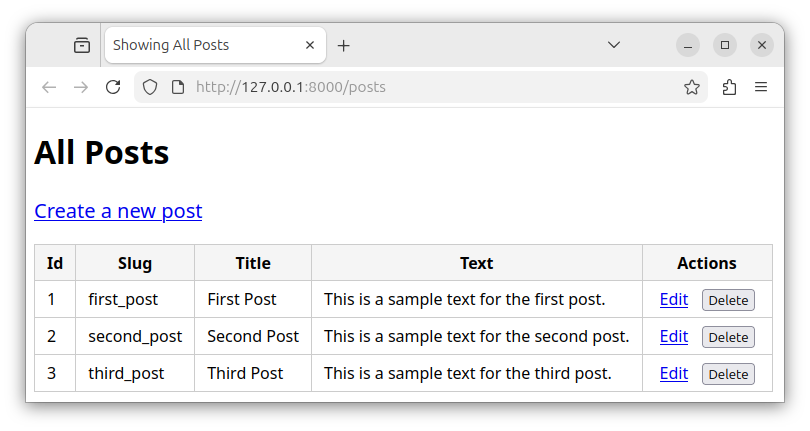
To see all the records, we access the http://127.0.0.1:8000/posts route:
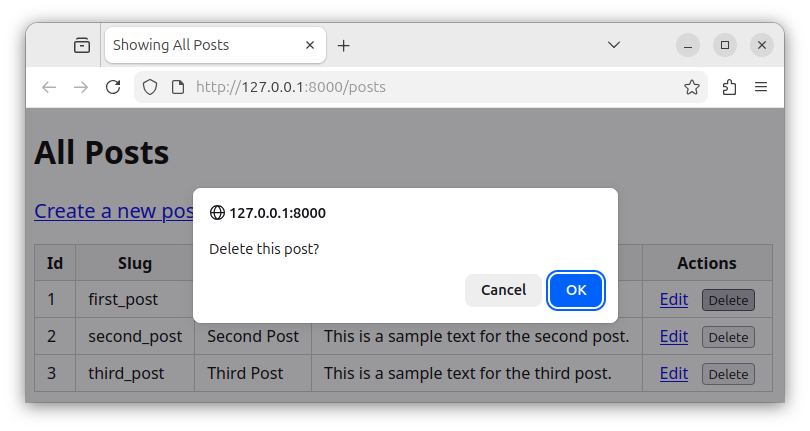
To delete one of the records, we click the appropriate Delete button. The button displays a confirmation dialog, and, if confirmed, submits a form.
The form sends a DELETE request to one of the /posts/{id}/edit routes and the record gets deleted. Finally, we are redirected back to the /posts route that displays all the records.