Exercise - Organizing Route-Handling Code
In this exercise, we will move the route-handling code from a web.php file to a dedicated controller class.
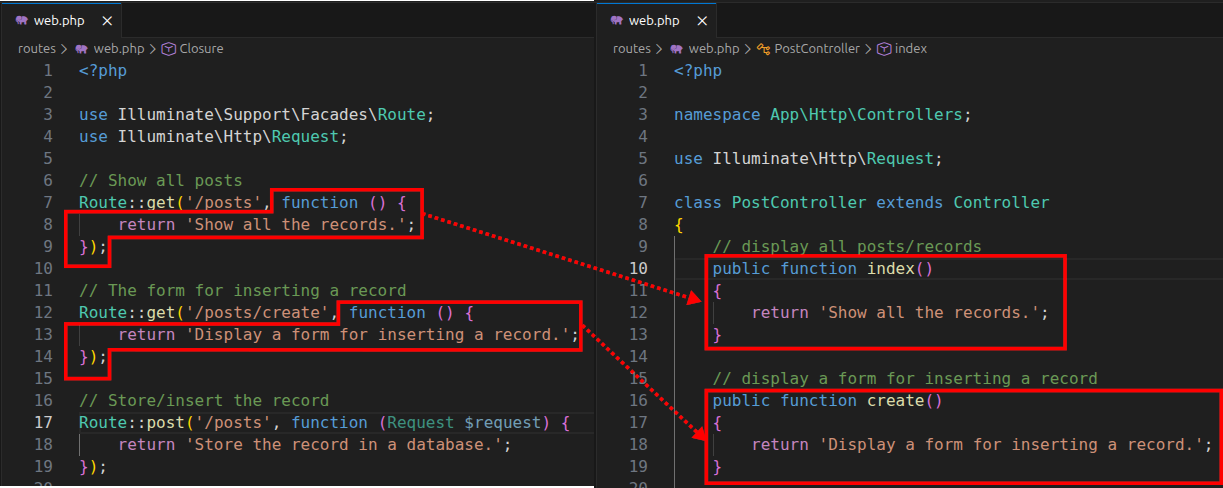
This way, we can better organize our route-handling code.
Exercise text
Given the following web.php file content:
<?php

use Illuminate\Support\Facades\Route;
use Illuminate\Http\Request;

// Show all posts
Route::get('/posts', function () {
    return 'Show all the records.';
});

// The form for inserting a record
Route::get('/posts/create', function () {
    return 'Display a form for inserting a record.';
});

// Store/insert the record
Route::post('/posts', function (Request $request) {
    return 'Store the record in a database.';
});

// Show a single post
Route::get('/posts/{id}', function (string $id) {
    return 'Show a single record with an id of ' . $id;
});

// Show a form to edit a post
Route::get('/posts/{id}/edit', function (string $id) {
    return 'Show a form for editing a record with an id of ' . $id;
});

// Update a post
Route::put('/posts/{id}', function (Request $request, string $id) {
    return 'Update the record whose id is ' . $id;
});

// Delete a post
Route::delete('/posts/{id}', function (string $id) {
    return '';
});
Move the route-handling code from closures (anonymous function calls) inside a web.php to controller methods inside a dedicated controller class.
- Create a controller class named
PostController. - Define controller methods for each route.
- Move the code from closures to controller methods.
- Invoke the controller methods from a web.php file.
Note: For simplicity reasons, all route-handling functions are returning a simple string.
Creating a controller class
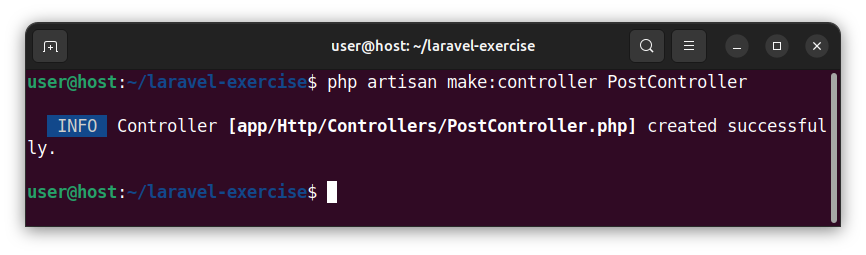
To create a controller class, named PostController, in the terminal, we execute the following artisan command:
php artisan make:controller PostController
Defining controller methods
Open the newly created PostController.php file and paste the following code:
<?php

namespace App\Http\Controllers;

use Illuminate\Http\Request;

class PostController extends Controller
{
    // display all posts/records
    public function index()
    {
        return 'Show all the records.';
    }

    // display a form for inserting a record
    public function create()
    {
        return 'Display a form for inserting a record.';
    }

    // store (insert) the record
    public function store(Request $request)
    {
        return 'Store the record in a database.';
    }

    // show a single record
    public function show(string $id)
    {
        return 'Show a single record with an id of ' . $id;
    }

    // show a form to edit a record
    public function edit(string $id)
    {
        return 'Show a form for editing a record with an id of ' . $id;
    }

    // save (update) a record
    public function update(Request $request, string $id)
    {
        return 'Update the record whose id is ' . $id;
    }

    // delete a record
    public function destroy(string $id)
    {
        return 'Delete the record with an id of ' . $id;
    }
}
This code defines several public methods inside the PostController class:
index()- used for displaying all the posts.create()- used for an insert form.store(Request $request)- used for storing (inserting) a record.show(string $id)- used for displaying a single record.edit(string $id)- used for editing a single record using a form.update(Request $request, string $id)- used for updating the record's data.destroy(string $id)- used for deleting a single record.
We moved all the code from closures inside a web.php file to appropriate controller methods inside the PostController.php file.
Invoking controller methods from the web.php file
Open the web.php file and modify it so that it now calls PostController methods. Paste the following code, overwriting any previous code:
<?php

use Illuminate\Support\Facades\Route;
use App\Http\Controllers\PostController;

// Show all posts
Route::get('/posts', [PostController::class, 'index']);

// Show a form for inserting a record/post
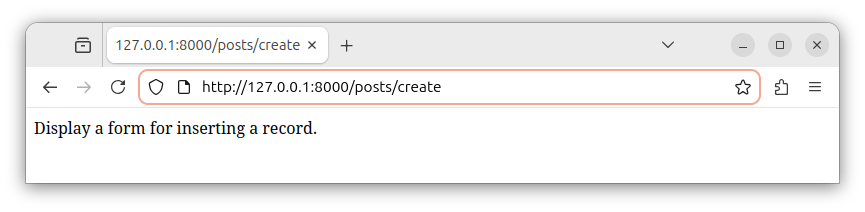
Route::get('/posts/create', [PostController::class, 'create']);

// Store a new post
Route::post('/posts', [PostController::class, 'store']);

// Show a single post
Route::get('/posts/{id}', [PostController::class, 'show']);

// Show form to edit a post
Route::get('/posts/{id}/edit', [PostController::class, 'edit']);

// Update a post
Route::put('/posts/{id}', [PostController::class, 'update']);

// Delete a post
Route::delete('/posts/{id}', [PostController::class, 'destroy']);
Explanation
This line of code:
use App\Http\Controllers\PostController;
Imports the required PostController class into our web.php file.
This line of code:
Route::get('/posts', [PostController::class, 'index']);
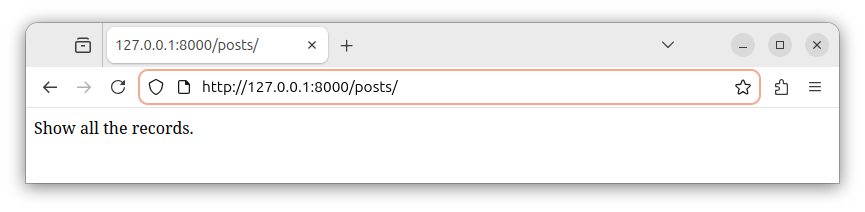
Defines a GET /posts route and calls the PostController's index() method when the /posts route is accessed in a browser.
Instead of a nameless closure, the Route::get() function now accepts an array with two elements:
[PostController::class, 'index'];
- The first element is the reference to the controller class whose method we want to invoke. In this case, it is the
PostController::classcontroller. - The second element is the name of the controller's method whose code we want to execute for this route. In this case it is the controller's
indexmethod.
Previously, in our web.php, we had a closure that handled this route:
Route::get('/posts', function () {
    return 'Show all the records.';
});
Now, we invoke the PostController's index method to handle this route:
Route::get('/posts', [PostController::class, 'index']);
For example, this line of code:
Route::get('/posts/{id}', [PostController::class, 'show']);
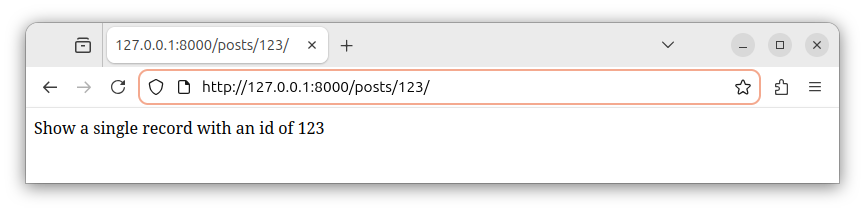
Defines a GET /posts{id} parametrized route and calls the PostController's show(string $id) method when the /posts/some_id route is accessed in a browser. This code can be used to display a single record from a table.
Previously, we had:
Route::get('/posts/{$id}', function () {
    return 'Show all records.';
});
Now, we have:
Route::get('/posts/{id}', [PostController::class, 'show']);
The same approach is applied to all other routes. All of them now call specific controller methods instead of executing the code from nameless closures.
For example, this line of code defines a POST route and invokes the controller's insert() method for that route:
Route::post('/posts', [PostController::class, 'store']);
Now, our web.php file defines several GET, POST, PATCH and DELETE routes and invokes the appropriate controller method for each of these routes.
Summary
We store the route-handling code in a dedicated controller class, and then we call those controller methods from our web.php route file.
When our framework becomes more complex, it is a good idea to organize the route-handling code in one or more controller classes.
By using controllers, we can better organize our route-handling code, and we also utilize the Model-View-Controller (MVC) architecture.


